

I was sitting at my workbench yesterday, the smell of ozone and old solder hanging in the air, when I realized I’d spent more time staring at a stubborn, unmoving clock spring than I have looking at my own reflection. It reminded me of the look on my nephew’s face when his smartphone decided to become nothing more than an expensive, glowing paperweight. He was frantically searching for a magic solution for how to fix a phone stuck on the logo, convinced he needed to pay a technician a week’s wages just to press a few buttons. Most people treat these devices like they are powered by mystical incantations rather than simple electrical currents and instruction sets, but that’s where they get it wrong.
I’m not going to give you a list of “miracle apps” or tell you to go buy a new device. Instead, I want to show you what is actually happening inside that little slab of glass and silicon when it refuses to boot. We are going to look at the logic of the failure, from the battery’s inability to hold a charge to the software getting caught in a loop. I promise to walk you through the actual mechanics of the fix, because if we don’t understand the sequence of events, we’re just guessing in the dark.
The Force Restart Smartphone Waking the Sleeping Giant

When a device hangs on that logo, it’s essentially a mechanical jam in a digital system. Think of a clock where a single speck of dust prevents the escapement from ticking; the energy is there, but the cycle can’t complete. To clear this, we use a force restart smartphone procedure. This isn’t a standard “off and on” request; you are essentially performing a hard cut to the power logic, forcing the processor to drop whatever loop it’s stuck in and start the instruction sequence from zero.
Since I can’t reach inside and manually toggle the power traces on your motherboard, we have to rely on those specific hardware button combinations designed by the engineers. For an iPhone stuck on the Apple logo, it’s usually a rhythmic dance of volume up, volume down, and a long hold on the side button. On the Android side, it’s often a pairing of power and volume down. You aren’t just pushing buttons; you are sending a physical interrupt signal to the silicon, telling it to ignore the current software error and just wake up.
Android Boot Loop Solutions Reclaiming the Machines Will

If the force restart didn’t nudge it awake, we have to look deeper into the software’s internal logic. When an Android device is caught in a loop, it’s often because a specific app or a corrupted system file is trying to execute a command that the processor simply cannot complete. It’s like a gear in one of my old pendulum clocks getting a tiny grain of sand in its teeth; the mechanism keeps trying to turn, hits the obstruction, and resets itself. To bypass this, I always suggest safe mode troubleshooting. By using specific hardware button combinations during the startup sequence, you can tell the phone to ignore all third-party apps and only load the bare essentials. If it boots up in safe mode, you’ve found your culprit—it’s just a rogue piece of software causing the friction.
However, if the machine refuses to cooperate even in its simplest state, we might be facing a more fundamental breakdown, like a firmware update error that left the operating system’s “brain” half-finished. At this stage, the software is essentially a map with missing roads. You may eventually have to consider a more drastic measure to clear the pipes, though I always advise checking if there is any way to perform a factory reset without losing data before you pull the lever.
Five Ways to Find the Fault in the Circuitry
- Check your charging port for debris; I once found a tiny piece of lint wedged in a jack that was tricking the battery sensor into thinking it was under constant load, causing the whole system to trip.
- If you can get into the settings, clear the cache partition; it’s essentially just sweeping the dust out of the temporary memory so the processor doesn’t trip over old, fragmented instructions.
- Try removing your SIM card and any microSD cards; sometimes a corrupted file on a memory card acts like a physical jam in a gear, preventing the entire boot sequence from turning over.
- Watch the device closely for heat; if the back feels warm while it’s just sitting on that logo, you likely have a short circuit or a runaway process that’s burning through energy without actually doing any work.
- Consider a factory reset as a last resort; it’s the digital equivalent of stripping a clock down to its barest springs and gears to ensure nothing is left to obstruct the movement.
The Physics of a Frozen Screen
A phone stuck on its logo isn’t “broken” in the way a shattered screen is; it’s usually just a piece of software that has lost its place in the sequence of instructions.
If the standard button combinations won’t kick the system back into gear, you’re likely looking at a corrupted file in the storage—the digital equivalent of a gear with a broken tooth preventing the whole clock from ticking.
Before you assume the hardware is dead, remember that most “ghosts in the machine” are just errors in the bootloader that can be cleared once you force the system to stop trying to run its old, broken routine.
The Final Tally and a Bit of Perspective
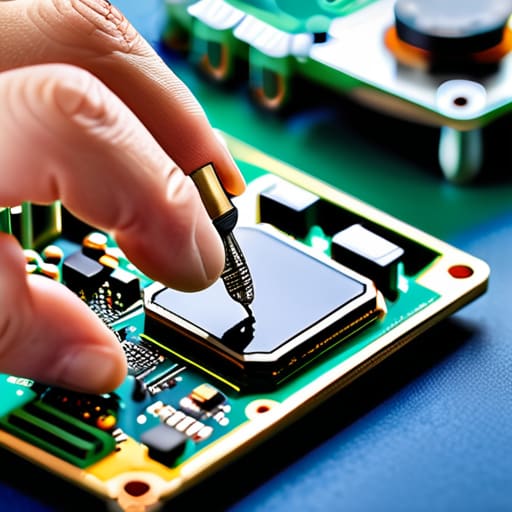
We have poked and prodded at this digital stubbornness from several angles now. We started by trying to shake the device awake with a force restart, moved into the deeper waters of clearing the cache, and even looked at the more drastic measure of a factory reset. If you’ve reached this point and the logo is still staring back at you like a silent judge, it usually means the problem isn’t just a stray bit of code, but something physical—perhaps a failing flash memory chip or a battery that can no longer maintain the steady voltage required to complete the boot sequence. At that stage, the machine has reached its physical limit, and it is time to let a professional with a soldering iron take over where our software tricks ended.
I know how frustrating it feels to hold a piece of glass and metal that refuses to do what it was designed to do. But I try to remember that even the most complex systems are just a collection of simple parts working in concert. When one gear slips or one circuit fails, the whole dance stops. Don’t let a frozen screen make you feel like the technology is magic or a mystery beyond your reach; it is just mechanics in a different skin. Keep asking why, keep looking under the hood, and never stop trying to understand the heartbeat of the things you own.
Frequently Asked Questions
If I manage to get it past the logo but it keeps freezing, is the hardware actually dying or is it just a software hiccup?
It’s the classic dilemma: is it a ghost in the code or a failing component? If it freezes only when you open specific apps, it’s likely a software hiccup—just a cluttered, confused brain. But if it stutters during simple tasks or feels hot to the touch, I suspect the flash memory or the processor is physically struggling. I’d want to strip it down to its barest settings first; if it still trips, the hardware is likely waving its white flag.
Will performing a factory reset through the recovery menu wipe every single photo and contact I have saved on the device?
I’ll be blunt: yes, it will. When I open up an old mechanical clock, I can see every gear and spring, but a factory reset is more like a chemical bath that dissolves everything inside. It wipes the slate completely clean. If your photos and contacts aren’t already tucked away in a cloud service or on a physical drive, they’ll vanish along with the software. Treat it like a total teardown; everything goes.
I tried the button combinations but nothing happened; could the battery be too depleted to even begin the boot process?
It’s entirely possible. Think of it like a clockwork mechanism with a spring wound so tight it’s actually jammed, or in this case, a spring that’s lost all its tension. If the voltage drops below a certain threshold, the logic board doesn’t even have the “juice” to recognize your button presses. Plug it in, leave it alone for thirty minutes, and stop poking it. We need to see if it can actually hold a charge before we assume the hardware is dead.



