

I remember sitting at my workbench last Tuesday, squinting through a jeweler’s loupe at a “mint condition” tablet a neighbor had tried to sell me. The seller had waxed the casing so heavily it practically glowed, but the moment I pressed the home button, I felt that sickening, microscopic hitch in the spring mechanism—a telltale sign of a drop that had been smoothed over with polish. Most people approach the market thinking they need a degree in computer science or a massive bank account to find a bargain, but they’re being lied to. Learning how to buy second hand electronics isn’t about reading glossy spec sheets or trusting a refurbished sticker; it’s about developing the intuition to sense when a device is masking its own fatigue.
I am not here to give you a checklist of software benchmarks or marketing jargon that won’t mean a thing once you get the device home. Instead, I’m going to show you how to look for the physical tells—the heat signatures, the port wobbles, and the subtle tells of a dying battery—that the listing photos always omit. My goal is to teach you how to see the machine for what it actually is, ensuring that when you finally plug it in, you aren’t just buying a pretty shell, but a reliable piece of engineering.
Refurbished vs Used Electronics Seeking the Soul of the Device

When I look at a pile of “used” gadgets, I see a history of human habits—coffee spills, frantic tapping, and the inevitable drop onto a kitchen tile. Buying something “used” means you are inheriting someone else’s physics experiments, for better or worse. You’re getting the raw machine, exactly as it was left on the nightstand. This is where inspecting hardware for physical damage becomes your primary job; you aren’t just looking for scratches, you’re looking for the structural integrity of the chassis. If a hinge feels mushy or a casing gap looks uneven, the internal alignment is already compromised.
Refurbished devices, however, are a different beast entirely. They’ve been through a clinical reset, often stripped down and cleaned by someone who actually knows where the dust settles. While “used” is a gamble on a stranger’s lifestyle, refurbished is a bet on a technician’s competence. The real trick in the refurbished vs used electronics debate is knowing that a “refurbished” label can sometimes be a mask for a device that was simply wiped clean and shoved back into a box. Always ask if they actually replaced the internals or just polished the glass.
Avoiding Electronic Scams Online When the Listing Lies
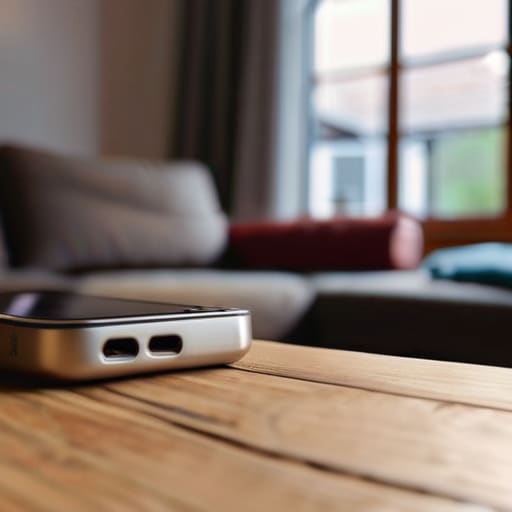
I’ve spent enough time hunched over a jeweler’s loupe to know that if a deal looks too perfect, there is usually a crack in the casing you can’t see yet. When you are avoiding electronic scams online, you have to look past the polished, high-resolution marketing photos. Scammers love to use stock images of a pristine tablet or phone, but a real person selling a device has the decency (or the messiness) of taking a photo in their own living room. If the lighting is too professional or the background is suspiciously blank, my internal alarm goes off. I want to see the scratches on the corner; I want to see the actual dust in the charging port. That’s where the truth lives.
Always demand a video of the device actually running. I don’t just want to see the screen turn on; I want to see someone navigate the menus, open a heavy app, and—this is the crucial bit—plug in a charger to see if the connection holds. If a seller refuses to show the device in motion, they are hiding a ghost in the machine. Don’t let a sense of urgency push you into a quick wire transfer. If they can’t prove the hardware is intact, walk away.
The Inspection Checklist: What to Look for Before the Money Changes Hands
- Check the ports for “wiggle room.” I always bring a small flashlight to look into the charging port or headphone jack. If the metal pins inside look bent or if the port moves when you gently nudge it, it means the internals have been stressed or the solder joints are failing. A loose port is a death sentence for a portable device.
- Test the thermal behavior. I don’t just turn the device on; I let it sit running a heavy application for ten minutes. If the casing feels hot enough to make you uncomfortable, the thermal paste has likely dried into dust or the internal fans are clogged with years of debris. A device that runs hot is a device that is working too hard just to exist.
- Inspect the screen for “ghosts.” Turn the brightness all the way up and pull up a solid white or black background. I’m looking for image retention—those faint, shadowy outlines of previous icons that refuse to leave. It tells me the liquid crystals are tired and the display is nearing the end of its life cycle.
- Listen to the heartbeat. If it’s a laptop or a console, hold it close to your ear. You aren’t just listening for fan noise; you’re listening for the rhythmic clicking of a failing hard drive or the high-pitched whine of a struggling capacitor. A healthy machine should hum, not grind.
- Verify the battery’s “true” capacity. Don’t trust a seller who says, “The battery is great!” Instead, if it’s a laptop, dive into the system settings to check the actual cycle count. If that number is in the hundreds, that battery is a chemical sponge that won’t hold a charge for long, no matter how much they swear it’s fine.
The Physics of a Good Deal: My Three Golden Rules
Don’t trust the glossy photo; look for the “wobble factor.” Before you pay, check if the ports feel loose or if the casing has those tiny, hairline cracks that suggest the device has been dropped more times than a clumsy student.
Demand the “dark room” test. A screen might look bright in a sunny listing, but you need to see it in a dim room to check for dead pixels or that sickly yellow tint that tells you the backlight is dying.
Verify the battery’s actual stamina, not its “health” percentage. A device might say 90% capacity, but if it drains like a leaky bucket the moment you open a heavy app, the chemical aging has already won the battle.
The Final Inspection

At the end of the day, buying second-hand is a bit like choosing a vintage timepiece; you aren’t just paying for the face, you are paying for the integrity of the gears underneath. We have talked about the vital distinction between a device that has been professionally refurbished and one that has simply been “cleaned up” for a photo. We have looked at how to spot the digital smoke and mirrors used by scammers to hide a cracked motherboard or a dying battery. Remember, if you cannot verify the physical condition of the ports or confirm the software isn’t locked by a previous owner, you aren’t buying a tool—you are buying a headache. Always trust your hands and your eyes over a polished description.
I have spent my life looking at how things work when the power is off, and I have learned that there is a certain dignity in a machine that has been well-loved and properly maintained. When you buy used, you are participating in a beautiful cycle of resourcefulness and mechanical respect. You are giving a piece of engineering a second life rather than letting it gather dust in a landfill. So, go ahead, hunt for those bargains, but do it with your eyes wide open and your screwdriver ready. There is nothing quite as satisfying as finding a hidden gem that still has plenty of ticks, whirrs, and cycles left in its soul.
Frequently Asked Questions
How can I tell if a battery is actually dying or if the software is just being sluggish?
To tell the difference, you have to look past the screen. I once opened a tablet to find the battery was physically swelling, pushing against the casing like a rising loaf of bread—that’s a hardware death rattle. If the device stays cool but stutters when you swipe, it’s likely a software bottleneck. If it gets hot as a radiator while doing nothing, the battery is struggling to push current through its aging chemistry.
What specific physical signs should I look for to know if a device has been dropped or had water damage?
When I opened my old digital camera last week, I could see the history of its life in the tiny scratches on the internal mounting screws. Look for those same tells. Check the chassis for hairline cracks near the corners—that’s where the impact energy travels. Most importantly, peer into the SIM tray or charging port with a flashlight. If you see a tiny, pinkish sticker or any crusty white residue, that device has gone for a swim.
Is it worth paying a little extra for a "certified" device, or am I just paying for a fancy sticker?
Is that “certified” seal just expensive wallpaper? I used to tell my students that a label isn’t a law of physics. When I opened up that old grandfather clock last week, I didn’t care what the catalog said; I cared about the teeth on the gears. A certification is only worth the extra coins if it means someone actually unscrewed the casing, cleaned the dust out of the logic board, and tested the battery cycles. If they haven’t touched the guts, you’re just paying for a sticker.



