

I was sitting at my workbench last Tuesday, squinting through my loupe at the escapement of a 19th-century French carriage clock, when I realized how much the tech industry relies on making us feel incomplete. They want you to believe that your current tools are decaying the moment the next model is announced, but that is a lie designed to sell silicon, not to solve problems. Most people approach a new purchase as a solution to a phantom itch, but if you want to actually understand how to decide not to upgrade, you have to stop listening to the marketing gloss and start looking at the mechanical reality of your daily life.
I am not here to give you a checklist of benchmark scores or speculative “future-proofing” nonsense. Instead, I want to teach you how to audit your own habits. I will show you how to look past the shiny exterior and ask if the internal mechanisms of your current device are still performing their fundamental duties while you aren’t even looking. My goal is to help you find that rare, quiet satisfaction in knowing exactly when a tool is already complete.
Evaluating Product Lifecycle Beyond the Marketing Hype
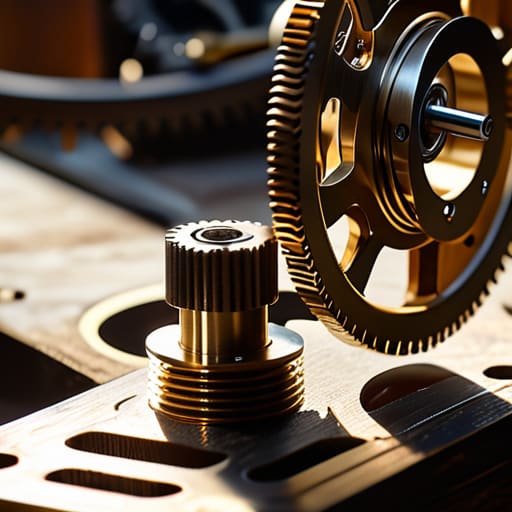
When I sit at my workbench with a disassembled mantle clock, I don’t care about the polished brass finish or the elegant pendulum swing. I care about the escapement—the part that actually manages the energy. Modern marketing is designed to make you fall in love with the “finish,” but we need to look at the escapement of our gadgets. To truly practice evaluating product lifecycle, you have to look past the glossy advertisements and ask if the internal components are actually designed to endure, or if they are merely destined for a landfill.
Most people fall into the consumerism trap because they mistake a faster processor for a better tool. In my physics classroom, we talked about efficiency; in your living room, you should apply a similar logic. If your current laptop handles your spreadsheets and your video calls without a hiccup, the marginal gain of a new chip is practically invisible. We often find ourselves chasing diminishing returns on technology, spending hundreds of dollars just to shave a few seconds off a boot-up time that you won’t even notice in your daily habits.
Avoiding the Consumerism Trap Through Quiet Observation
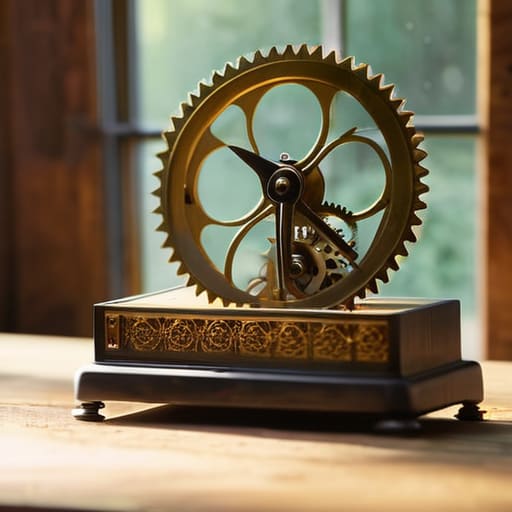
I spent my Sunday afternoon with a 1950s pendulum clock that had simply decided to stop breathing. As I brushed away decades of dust, I realized that most modern gadgets are designed with a different kind of heartbeat—one that intentionally fades. This is where we encounter planned obsolescence awareness; it isn’t just a conspiracy theory, it’s a mechanical reality where the software outpaces the hardware until the device becomes a paperweight. To fight this, I’ve learned to watch my own tools when I am not actively using them. If my current laptop still completes its background tasks and keeps my files secure while I’m sleeping, then its “soul” is still intact.
We often fall into the rhythm of upgrading because we mistake novelty for necessity. However, when you perform a genuine cost-benefit analysis of upgrades, you realize that the incremental leap in processing speed rarely translates to a meaningful change in your daily habits. I don’t care if a new processor is 15% faster if my actual workflow remains exactly the same. By focusing on diminishing returns on technology, we can stop chasing the ghost of “better” and start appreciating the utility of “enough.”
The Diagnostic Checklist: Testing the Integrity of Your Current Tool
- Perform a “Sleep Test” on your device. If your hardware is performing its background tasks, maintaining its charge, and keeping its scheduled updates without making a sound or heating up your desk while you aren’t even in the room, it hasn’t reached its end of life; it has reached its plateau of utility.
- Audit the friction, not the features. I don’t care if the new model has a faster processor if your current machine still opens your spreadsheet in under three seconds. If the delay between your intent and the machine’s action hasn’t increased, the “slowness” you feel is likely just a psychological itch, not a mechanical failure.
- Strip away the software veneer. When I repair a clock, I look at the escapement, not the polished brass casing. Do the same with your tech: look at the core functionality. If the fundamental mechanism—the part that actually does the work you hired it for—is still precise, the shiny new interface is just a distraction.
- Map your actual usage against the spec sheet. Most people upgrade because they read about a capability they might use once a year. If you haven’t needed that extra gigabyte of RAM or that specific sensor in the last six months of daily habit, you aren’t buying a tool; you’re buying a theoretical possibility.
- Check for “Repairable Longevity.” Before looking at the new version, look at your current one. Is the battery still holding a decent charge? Is the casing intact? If the physical integrity of the machine is sound and the components are still communicating effectively, the most logical engineering decision is to keep the system in equilibrium.
The Physics of Enough
Before you reach for your wallet, look at your current device when you aren’t actively using it; if its standby functions and background processes are still performing their intended roles without friction, the machine hasn’t failed you yet.
Resist the urge to mistake “new features” for “better mechanics,” because a new layer of software rarely improves the fundamental way a device manages its energy or executes its primary task.
True utility is found in the reliability of a tool’s rhythm, so only upgrade when the mechanical or digital degradation of your current tool actually prevents it from doing its job while you’re in the other room.
The Integrity of the Existing Machine

At the end of the day, deciding against an upgrade isn’t about being frugal or stubborn; it’s about a fundamental respect for the physics of what you already own. We have to look past the glossy brochures and ask if the current device is still performing its core function without friction. If your laptop still manages its background processes while you sleep, or if your phone still holds its charge through the night, then the mechanical integrity of that tool remains intact. We shouldn’t replace a functioning gear assembly just because the casing looks a bit scuffed or because a neighbor bought a newer model. If the utility remains constant, the upgrade is merely a distraction.
I often find that the most satisfying part of my clock repair hobby isn’t making a clock run faster, but rather ensuring an old, tired movement continues to keep perfect time. There is a quiet dignity in a machine that does exactly what it was designed to do, day after day, without needing constant intervention. When we stop chasing the “new,” we start noticing the reliable rhythm of the things we already possess. Don’t let the marketing noise convince you that your tools are broken simply because they aren’t “evolving.” If it still works when the lights are out, it is enough.
Frequently Asked Questions
How do I distinguish between a device that is truly functioning well and one that is just masking its inefficiencies through sheer momentum?
I look for the heat and the noise. When I opened my old desktop last month, I found the cooling fan struggling against a layer of dust so thick it felt like felt. If a device requires constant, high-effort output just to perform a simple task, it’s masking a decline. A tool working well should feel effortless; if it’s running hot or loud while you’re just reading an email, the momentum is just friction in disguise.
If I decide to keep my current hardware, what are the practical ways I can maintain its mechanical or digital health to ensure it keeps doing its job?
If you’re sticking with what you have, you must treat it like one of my old pendulum clocks: maintenance isn’t optional, it’s the lifeblood. For hardware, that means clearing the dust from the fans so the heat doesn’t cook the circuits. Digitally, it’s about pruning. If a background process is eating your RAM while you aren’t even using it, it’s a leak. Clean the physical grit, trim the digital bloat, and let it breathe.
At what specific point of failure does a tool stop being a reliable instrument and start becoming a liability that actually requires replacement?
It becomes a liability the moment its failure mode becomes unpredictable. When I’m working on a clock, I can account for a worn brass gear; it slows down, but it stays consistent. But if a component starts failing intermittently—acting fine one minute and seizing the next—it’s no longer a tool. You can’t build a habit around a device that requires constant, panicked supervision just to finish a simple task.



