
I was hunched over my workbench last Tuesday, the smell of isopropyl alcohol and old machine oil thick in the air, trying to coax a stubborn 19th-century carriage clock back to life. My mind drifted to that sudden, hollow feeling you get when you look down at your smartphone and see those empty bars—that digital silence. Most people think a loss of service is some grand, mysterious failure of the invisible airwaves, or they’ll tell you that you need to pay a technician hundreds of dollars just to tell you what you already know. They make it sound like magic, but I’ve spent thirty-four years teaching students that nothing is magic, not even the way we communicate. If you are currently staring at your screen wondering how to fix a phone with no signal, please stop panicking and stop believing the hype that your device is simply “broken.”
I’m not going to give you a list of vague, corporate suggestions that involve calling your service provider and waiting on hold for forty minutes. Instead, I want to look at the actual mechanics of the problem. We are going to approach this like a proper diagnostic: we’ll check the physical connections, reset the logic, and clear the digital cobwebs. My promise to you is simple: I will only suggest solutions that I have personally verified by looking at how the hardware and software actually interact. We are going to find out exactly what your phone is doing when it isn’t talking to the tower, and we’ll get you back online without the nonsense.
Unmasking the Ghost Troubleshooting No Service Error
Before we start pulling out the screwdrivers, we have to rule out the simple mechanical failures. I’ve spent many an afternoon hunched over a disassembled grandfather clock, and I’ve learned that half the time, the problem isn’t a broken gear; it’s just a piece of dust in the wrong place. Your phone is no different. The first thing I do is reinsert the SIM card properly. It’s a tiny, delicate bit of copper and plastic, but if it’s shifted even a fraction of a millimeter from its housing, the handshake between your device and the tower simply fails. I always give the tray a gentle wipe with a microfiber cloth—not because I’m being precious, but because skin oils are the enemy of a clean connection.
If the physical connection looks sound, we have to look at the invisible logic. Sometimes the software gets stuck in a loop, trying to talk to a tower that isn’t there. This is where a quick reset network settings on iPhone or Android can act like a much-needed reset on a pendulum. It clears out the digital cobwebs without deleting your photos, essentially forcing the device to rediscover its place in the world.
The Physical Ritual Reinsert Sim Card Properly
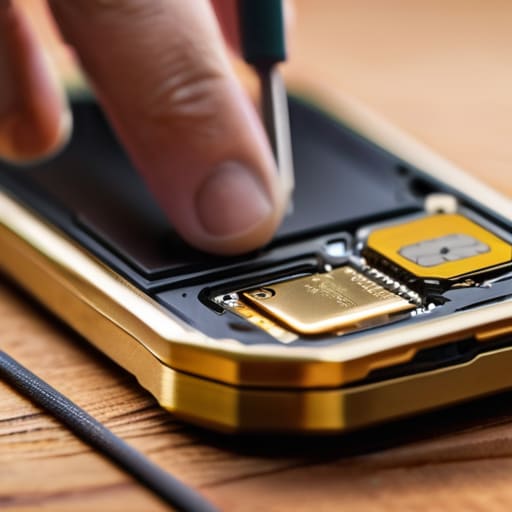
Now, before we start poking around in the software, we need to address the most tactile part of the problem. I recently opened up an old transistor radio to find a loose solder joint, and it reminded me that sometimes the simplest physical connection is the culprit. Your SIM card is essentially the tiny, plastic handshake between your device and the towers. If that card has shifted even a fraction of a millimeter due to a drop or a bump in your pocket, the handshake fails. To reinsert SIM card properly, you can’t just shove it back in; you need to use that little metal tool to eject the tray, inspect the gold contacts for any grime or oils from your skin, and ensure it sits perfectly flush in its cradle.
If the contacts look clean but you’re still staring at a blank signal bar, we have to consider the possibility of a deeper communication breakdown. Sometimes, the phone’s internal logic gets stuck in a loop, thinking it’s connected when it isn’t. While we’re physically tinkering, it’s a good time to perform a quick cellular connectivity troubleshooting step by toggling your airplane mode. If that doesn’t work, we might eventually need to reset network settings on your iPhone or Android, but let’s make sure the physical “key” is actually in the lock first.
Five Ways to Shake the Signal Loose
- Check your settings for the “Airplane Mode” trap; sometimes a stray thumb tap turns your phone into a very expensive paperweight by cutting off the radio waves entirely.
- Look at your software updates, because a bug in the operating system can act like a clog in a gear train, preventing the antenna from communicating with the tower.
- Step outside or move near a window to see if the signal is just being swallowed by the thick insulation or steel beams of your building.
- Reset your network settings, which essentially clears out all the digital cobwebs and forces the phone to introduce itself to the cell towers all over again.
- Inspect the SIM card for any tiny scratches or oils on the gold contacts; if that physical connection isn’t clean, the data won’t flow, no matter how much signal is in the air.
The Physics of a Connection
Most “broken” signals aren’t actually broken; they’re just interrupted by a tiny bit of oxidation on your SIM card or a software glitch that needs a simple toggle to reset.
If you can’t see the physical path the signal takes—from the tower to the antenna inside your casing—don’t assume the hardware is dead; start with the simplest mechanical fix first.
Always treat your phone like one of my old clocks: if it stops ticking, check the most obvious moving part before you start mourning the entire mechanism.
The Final Inspection
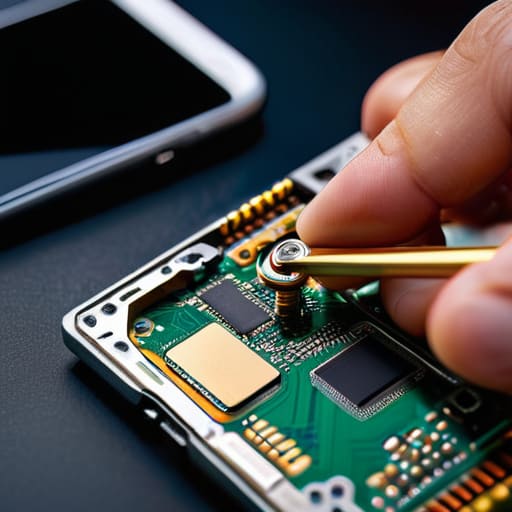
At the end of the day, restoring your connection is usually a matter of tracing the path from the antenna to the logic board. We’ve looked at everything from the software hiccups that a simple airplane mode toggle can clear, to the physical reality of a SIM card that has shifted just a fraction of a millimeter out of its housing. If you’ve checked your settings and reseated that tiny piece of plastic, and you’re still staring at a blank signal bar, it’s time to accept that the fault might lie deeper in the internal circuitry or perhaps with the cellular tower itself. Don’t let a stubborn device make you feel like you’ve lost control; most of the time, the solution is just a matter of methodical troubleshooting.
I often think about my old grandfather clocks; when they stop ticking, it isn’t magic, it’s just a gear that has lost its rhythm or a speck of dust in the escapement. Your phone is no different. It is a complex assembly of copper, silicon, and radio waves, all working in a delicate dance to keep you connected to the world. Even when it feels like the technology has failed you, remember that understanding the mechanism is the first step toward mastering it. Once you stop seeing these devices as black boxes and start seeing them as predictable systems, the frustration fades, leaving only a bit of healthy curiosity in its place.
Frequently Asked Questions
If my SIM card looks perfectly fine to the naked eye, how can I tell if the internal chip has actually failed?
The trouble with these little chips is that they’re microscopic logic gates, not just pieces of plastic. If the gold contacts look clean, the failure is likely internal—a tiny fracture in the silicon or a fried circuit from a static pop. To test it, I swap the card into a different phone. If the new device still refuses to recognize the identity of the card, then the chip’s internal architecture has finally surrendered.
Is there a way to know if the signal is dropping because of a software glitch or if the antenna inside the casing has physically come loose?
That is the million-dollar question, isn’t it? To find out, we have to look for the “tell.” If the signal vanishes only when you open a specific app or after a software update, it’s likely a glitch in the code. But if the signal flickers or dies the moment you tilt the phone or apply even a tiny bit of pressure to the casing, that’s a mechanical failure. That tells me an antenna connection has likely unseated itself.
Does carrying my phone near certain metal objects or electronic devices actually interfere with the way the internal components catch a signal?
It’s a common enough suspicion, and you aren’t wrong to wonder. When I opened up my old transistor radio, I saw how easily a nearby magnet or a heavy copper coil could warp the signal. Your phone is no different. It’s essentially a tiny, sophisticated antenna hunting for electromagnetic waves. If you shroud it in metal or crowd it with other high-frequency gadgets, you’re effectively building a cage that prevents those invisible waves from reaching the receiver.



