

I spent thirty-four years watching teenagers stare blankly at chalkboard equations, but nothing quite matches the look of pure, unadulterated betrayal I see on my neighbors’ faces when their favorite period drama grinds to a halt. They start calling tech support, convinced they need a more expensive subscription or a brand-new television, as if the hardware itself has suddenly developed a soul of spite. It’s nonsense. Most people think the solution is some magical upgrade, but when you’re looking for how to fix a streaming app buffering, the answer usually isn’t in your wallet—it’s in the invisible traffic jams happening inside your router or the messy, digital leftover files clogging up your device’s memory.
I don’t care for marketing fluff or “expert” guides that tell you to simply restart your life; I want to know why the data isn’t moving. In this post, I’m going to strip away the mystery of these digital hiccups by looking at the actual mechanisms of data flow. I promise to show you exactly what is happening behind the screen so you can stop guessing and start watching. We aren’t going to chase ghosts; we are going to clear the pipes using logic and a bit of physics.
Decoding the Invisible Streaming Video Latency Issues
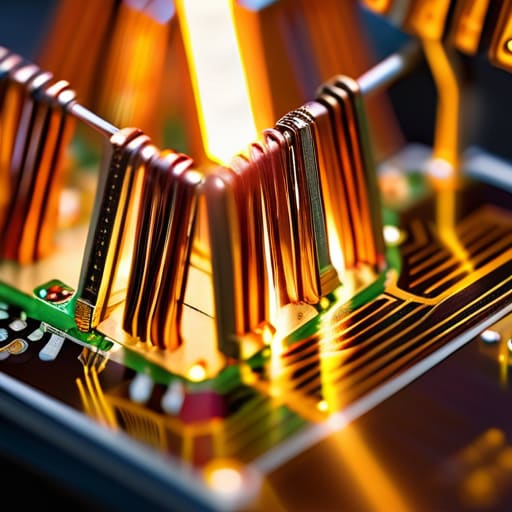
To understand why your movie stutters, you have to stop thinking of “the internet” as a magic cloud and start seeing it as a series of physical handshakes. When I opened up my old router last week, I wasn’t looking for software; I was looking at the capacitors and the heat sinks, reminded that every bit of data is a tiny pulse of energy fighting against resistance. Streaming video latency issues aren’t just “slow internet”; they are the result of these pulses getting stuck in traffic jams or dropped entirely because a component is struggling to keep up.
Think of it like a water pipe. If the pipe is too narrow, or if there’s a kink in the hose, the pressure drops. In digital terms, if your high definition streaming requirements demand a wide, steady flow of data but your hardware is bottlenecked, the video buffer runs dry. You aren’t just waiting for a signal; you are waiting for the hardware to catch its breath. To reduce video playback lag, you have to stop treating the device like a black box and start looking at it as a physical path where every millisecond of delay has a mechanical or electrical reason for existing.
An Internet Connection Speed Test for the Unseen

Before I can blame the app’s code, I have to look at the plumbing. I recently sat down with my old multimeter and a laptop to run an internet connection speed test, not just to see the numbers, but to see how they behave under pressure. You see, a speed test is like checking the pressure in a water pipe; it tells you if the flow is steady or if there’s a sudden drop when someone turns on the kitchen tap. If your download speed is hovering far below the high definition streaming requirements—which usually sit comfortably around 25 Mbps for a smooth 4K experience—then your “buffering” isn’t a software glitch; it’s a starvation issue.
I don’t trust a single snapshot of data. I like to run the test, then start a heavy download on another device to see how the throughput collapses. If the numbers plummet, your bandwidth is being cannibalized by background processes. To truly reduce video playback lag, you need to ensure that the “pipe” is wide enough to handle the sudden, heavy bursts of data that video packets require. If the speed is there but the video still stutters, then we aren’t looking at a volume problem, but a timing problem.
Five Ways to Clear the Digital Clog
- Give your router a moment to breathe by pulling the plug; it isn’t just a cliché, it’s a hard reset for the memory buffers that get cluttered with stale data packets.
- If your streaming box is tucked behind a heavy oak cabinet or a pile of books, you’re essentially suffocating the signal; move it into the open so the radio waves don’t have to fight through solid matter.
- Check for “bandwidth vampires” in your house—if your teenager is downloading a massive game update in the next room, your movie is fighting for the same narrow lane of data.
- Swap that flimsy Wi-Fi connection for an Ethernet cable; there is no substitute for the physical, direct path of copper to ensure the data stream remains constant and unbroken.
- Clear out the app’s cache in your device settings; think of it like cleaning the dust out of a clock mechanism so the gears can actually turn without friction.
What to Watch for When the Gears Grind to a Halt
Buffering isn’t just “slow internet”; it’s a symptom of a bottleneck, whether your router is struggling to move packets or your app is choking on a bloated cache file.
Don’t trust the speedometer alone; a fast connection is useless if the latency—the time it takes for a signal to actually travel and return—is too high to keep the video stream steady.
If the stuttering persists, look at the hardware; sometimes the issue isn’t the signal in the air, but the physical limitations of a device that’s working too hard to decode high-bitrate data.
Beyond the Spinning Circle

At the end of the day, fixing a stuttering stream isn’t about magic; it’s about managing the flow of data through a series of narrow pipes. We’ve looked at how a congested router acts like a clogged valve, how a cluttered cache creates digital friction, and why your bandwidth might be gasping for air during peak hours. Whether you need to clear out the old temporary files or move your device closer to the source of the signal, the goal is always the same: reducing the resistance in the circuit. Once you identify whether the bottleneck is in your hardware or your service provider, you stop fighting a ghost and start addressing the actual mechanism of the failure.
I spent years teaching students that you cannot master a concept until you see the gears turning beneath the surface. Technology feels intimidating only when it remains a black box, a silent magician performing tricks we can’t quite grasp. But once you understand that a buffering icon is just a symptom of a physical limitation—be it a radio wave struggling through a wall or a processor overwhelmed by too many tasks—the frustration turns into a puzzle. Don’t let the seamless interface fool you; there is always a machine underneath, and understanding its limits is the first step toward truly mastering it.
Frequently Asked Questions
If I've already restarted my router, why does the video still stutter every time someone else in the house starts a download?
It’s a classic case of bandwidth starvation. Think of your connection like a water pipe; when someone starts a massive download, they aren’t just using water, they’re opening a second, much larger tap. Your streaming app is left fighting for the remaining pressure. The data packets for your video are getting stuck in line behind those heavy download chunks, causing that stuttering as the buffer runs dry.
Does the physical placement of my router actually change how the data packets travel, or is that just a myth?
It is absolutely no myth. When I opened my old router last summer, I saw the antennas—tiny, rigid little sticks designed to radiate electromagnetic waves. Those waves don’t just pass through walls like ghosts; they collide with them. A heavy oak bookshelf or a kitchen microwave acts like a physical barrier, scattering the signal and forcing the router to retransmit packets. If you hide your router in a cabinet, you’re essentially asking it to shout through a pillow.
Can an outdated app version actually cause a bottleneck, or is the problem always with the hardware?
It’s rarely just the hardware. Think of an outdated app like a rusted gear in a clockwork mechanism; it might still turn, but it’s no longer synchronized with the rest of the movement. Modern streaming services constantly update their “handshake” protocols—the tiny digital signals sent to the server. If your app is running old code, it’s trying to speak a language the server has already moved past, causing that stuttering friction.



