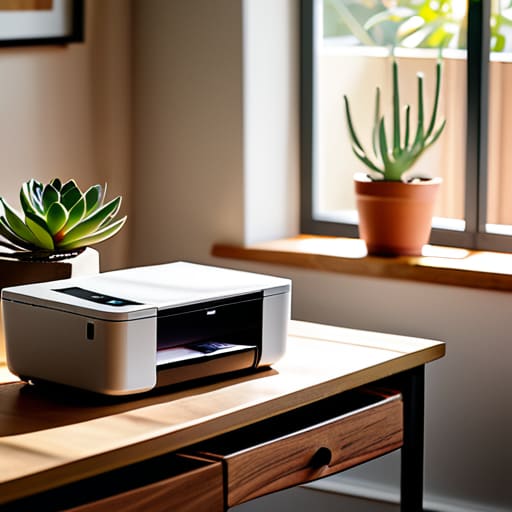

Don’t let the glossy brochures fool you; a printer with fifty different “smart” features is often just a collection of expensive points of failure. I spent thirty years in a physics classroom watching students try to navigate overcomplicated interfaces, and I can tell you that most of those high-end consumer models are designed to fail the moment you actually need them. When people ask me how to choose a printer for home, they usually expect a lecture on megapixels or wireless protocols, but I want to talk about something much more practical: mechanical reliability. If a machine is too complex to maintain with a simple screwdriver and a bit of patience, it isn’t a tool—it’s a liability waiting to happen.
I’ve spent many late nights with a magnifying glass and a set of precision drivers, peering into the guts of these machines to see why they’ve decided to stop behaving. In this guide, I’m going to strip away the marketing fluff and tell you exactly what to look for based on how these things actually function when the lights are low and the urgency is high. I won’t give you a list of specs to memorize; instead, I’ll show you how to identify a machine that is built to last, rather than one built to be replaced.
Inkjet vs Laser Comparison What Happens in the Dark

I spent last Tuesday with a screwdriver and a pair of tweezers, gutting an old inkjet I found in the garage. When you look inside, you see the truth: it’s essentially a tiny, frantic spray painter. It uses piezoelectric crystals or thermal bubbles to fire microscopic droplets of liquid ink onto the paper. The problem is that ink is a living, drying thing. If you leave it alone for a month, those tiny nozzles clog with a crusty residue. In an inkjet vs laser comparison, the inkjet is the temperamental artist—beautiful for photos, but prone to tantrums if you don’t use it daily.
Laser printers, on the other hand, are much more honest machines. I opened one up recently, and instead of liquid, I found a drum and a fuser. It doesn’t “print” so much as it uses static electricity to grab dry powder—toner—and then literally melts it into the fibers of the paper using heat. There is no liquid to dry up. If you are looking at home office printing needs, the laser is the reliable workhorse that sits quietly in the corner, ready to go even if you haven’t touched it in weeks.
All in One Printer Features That Actually Hold Up
I spent a Tuesday afternoon with a screwdriver and a magnifying glass looking at the guts of a standard “all-in-one” unit, and it confirmed what I suspected: most of those extra gadgets are just more points of failure. When we talk about all-in-one printer features, we usually mean the scanner, the copier, and the fax—though I haven’t seen a functional fax machine in a decade. The real test is the feeder mechanism. If you’re looking at the best printers for students who need to scan twenty pages of lecture notes in a hurry, you need a mechanical duplexer that doesn’t jam every time a piece of paper feels slightly too humid.
I also looked closely at the logic boards governing the wireless side of things. It’s easy to get distracted by flashy wireless printing capabilities, but if the handshake between your phone and the printer requires a ritual sacrifice, it’s useless. A good machine should maintain its connection even when you aren’t actively staring at the status light. If the internal sensors can’t detect a paper jam without a complete system reboot, then it isn’t a tool; it’s a chore.
The Real-World Stress Test: Five Things to Check Before You Unbox
- Forget the “pages per minute” on the box. I want to know about the paper tray. If you have to wrestle with a flimsy plastic guide every time you want to print a single syllabus, you’ll end up hating the machine. A good printer should hold a stack of paper like a sturdy drawer, not a delicate tray that jams if you breathe on it too hard.
- Look closely at the ink cartridges. I’ve spent too many afternoons cleaning dried, crusty residue out of print heads because someone left a printer idle for three weeks. If you aren’t printing something every few days, stay away from anything that uses liquid ink; you don’t want a device that essentially turns its own guts into a glue factory when it’s sitting idle.
- Check the connectivity, but don’t just trust the “Wi-Fi” sticker. I want to see if there is a physical USB port on the back. When your router decides to have a mid-life crisis and your wireless network disappears, you need to be able to plug a cable directly into the machine and get that document out. Relying solely on the airwaves is a recipe for frustration.
- Inspect the scanner lid. It sounds trivial, but if you’re planning to digitize old family photos or thick textbooks, that lid needs to close flat with actual weight behind it. If the hinge feels like it’s made of recycled soda bottles, you’ll find yourself propping it open with a heavy book just to get a decent scan, which is a terrible way to live.
- Demand a “Duplex” feature that actually works. If you are printing anything longer than a page, you don’t want to be manually flipping sheets of paper over like you’re dealing a deck of cards. A machine that can flip the page itself is a machine that respects your time and keeps your desk from becoming a graveyard of single-sided waste.
The Final Inspection: What to Check Before You Plug It In
Forget the brochure’s promises about “high-speed printing”; if you aren’t printing at least once a week, that fancy inkjet is just a very expensive paperweight waiting for its nozzles to clog into solid plastic.
Look past the sleek plastic casing and ask yourself if the ink cartridges are actually easy to swap, or if you’ll need a specialized toolkit and a prayer just to change a color.
Buy for the habit, not the hype—if you only need a quick syllabus or a grocery list, a simple laser printer that sits idle for weeks and still works perfectly on the first click is the only logical choice.
The Final Inspection
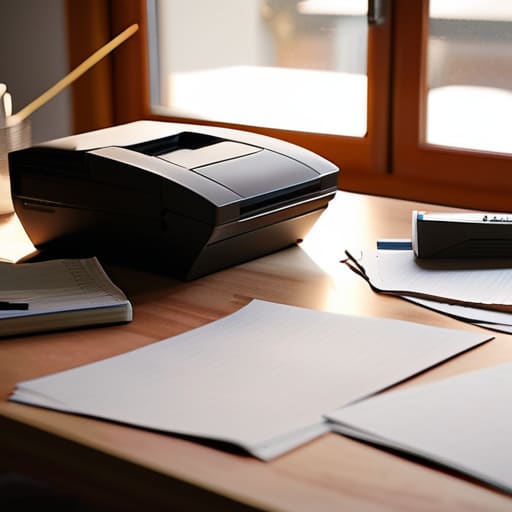
At the end of the day, choosing a printer isn’t about chasing the highest megapixel count or the most polished marketing brochure. It comes down to the mechanical reality of your own habits. If you are printing a single school report once every three months, an inkjet is just a recipe for clogged nozzles and dried-up frustration. But if you need to churn out dozens of pages of physics diagrams without a second thought, a laser printer is your steady, reliable companion. Look past the shiny plastic casing and ask yourself: does this machine serve my routine, or am I going to spend my weekends fighting with a machine that wasn’t built for my specific brand of chaos?
I spent thirty years watching students try to force physics to behave, only to realize that understanding the underlying mechanism is the only way to master it. The same goes for the tools we bring into our homes. Don’t be intimidated by the jargon or the endless array of technical specifications designed to confuse you. Instead, look for the integrity of the design and the simplicity of its function. Once you understand how the ink meets the page or how the toner fuses to the paper, you stop being a mere user and start being someone who truly owns their tools. Now, go out there and find a machine that actually works when you aren’t looking.
Frequently Asked Questions
If I buy one of those refillable ink tank printers, how much of a mess am I actually looking at when I have to top them up?
I spent yesterday afternoon with a disassembled Epson EcoTank on my workbench, and I can tell you: the mess is mostly psychological. Unlike those old cartridges that leave you scraping dried sludge out of a tray, these tanks use a gravity-fed, keyed system. As long as you don’t try to force the bottle into the wrong port—which is physically impossible if you pay attention—it’s just a slow, controlled pour. It’s much cleaner than the alternative.
Is it really worth paying more for a duplexer, or am I just paying for a mechanical part that’s bound to jam eventually?
It’s a fair question. When I opened up a duplexing unit last week, I saw exactly what you’re worried about: a small, dedicated motor and a series of rubber rollers designed to flip the page mid-cycle. Yes, it’s an extra mechanical failure point. But if you’re printing reports, you’re paying for the habit of saving paper, not just the gear. If you rarely print more than a page, skip it. If you print a lot, the convenience justifies the extra moving parts.
How much of the "smart" connectivity features are just unnecessary sensors that will fail the moment I actually need to print something?
I’ve opened enough of these “smart” units to know that a Wi-Fi chip is just another point of failure. When I took apart my neighbor’s wireless printer, I saw a tiny, fragile antenna module that does nothing but wait to lose its handshake with the router. If the software decides it needs an update right when you’re printing a boarding pass, you’re stuck. Stick to a solid USB connection; it doesn’t need a cloud to function.



