
I remember sitting at my workbench last Tuesday, squinting through a jeweler’s loupe at the guts of a vintage alarm clock, when my modern digital toaster decided to go on strike. It wasn’t a broken heating element or a blown fuse; it was a stubborn little bit of code refusing to cooperate. Most tech blogs will try to drown you in jargon, giving you a textbook definition of what firmware is that sounds more like a legal contract than actual information. They treat it like some mystical, untouchable layer of magic, but I’ve never had much patience for unseen magic. If I can’t see the logic governing the movement, I don’t trust it.
I’m not here to give you a lecture that you’d find in a dusty computer science manual. Instead, I want to show you the mechanical soul of your gadgets. I promise to strip away the marketing fluff and explain this concept through the lens of things I have actually held in my hands and unscrewed. By the time we’re done, you won’t just know a definition; you’ll understand exactly what that invisible hand is doing the moment you flip the switch.
How Firmware Controls Hardware in the Dark
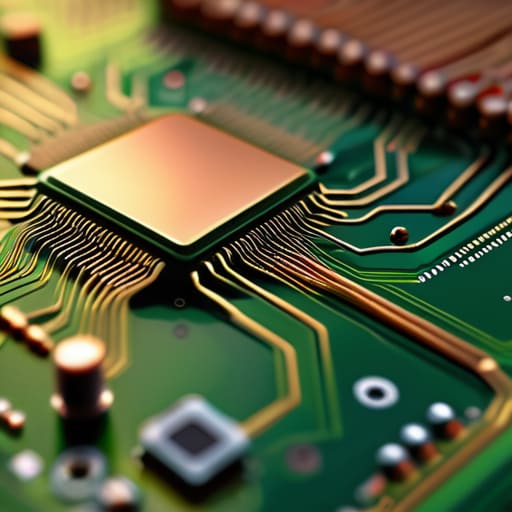
When I opened up my old digital alarm clock last week, I wasn’t looking for a lecture on circuitry; I just wanted to see why the display was flickering. Once the casing was off, I saw the tiny silicon brain—the microcontroller—sitting there, seemingly inert. But it isn’t. This is where the difference between hardware and firmware becomes tangible. The hardware is the physical skeleton, the copper traces and the silicon, but the firmware is the nervous system. It lives inside that little chip, providing the instructions that tell the electricity exactly where to go the moment power hits the board.
Without it, your devices are just expensive paperweights. While general software like a word processor waits for you to type, firmware is busy managing the background physics of the machine. It handles the tiny, invisible tasks—regulating voltage, checking sensor inputs, and managing the timing of signals—that keep the hardware stable. I like to think of it as the unseen conductor of an orchestra; you don’t see the baton moving, but without those precise, constant commands, the entire performance would descend into static.
The Difference Between Hardware and Firmware Explained

To understand the difference between hardware and firmware, I find it easiest to think about my workbench. When I’m repairing a vintage mantle clock, the brass gears, the mainspring, and the escapement are the hardware. They are the physical, tangible things I can touch, polish, and eventually, if I’m not careful, drop on the floor. They provide the structure and the mechanical possibility of timekeeping, but they are essentially “dumb” until something tells them how to interact.
In a modern digital device, the hardware is that same physical skeleton—the silicon chips, the copper traces, and the capacitors. But without that layer of embedded systems software tucked tightly into the circuitry, the hardware is just a collection of expensive minerals. If the hardware is the body, the firmware is the autonomic nervous system. It doesn’t wait for you to click an icon or open an app; it is the set of instructions baked into the microcontroller that tells the electricity where to flow the moment power hits the rails. While general software lives high up in the clouds of your operating system, firmware is the ground-level reality of how the machine actually breathes.
How to Spot the Ghost in the Machine
- Treat your device’s “update available” notifications like a scheduled maintenance check for a mechanical watch; don’t ignore them, because that code is the only thing keeping the hardware from losing its rhythm.
- When a device starts acting possessed—buttons not responding or screens freezing—don’t immediately blame the physical components; it’s often the firmware getting stuck in a logic loop, much like a gear with a chipped tooth.
- Never perform a “hard reset” or pull the plug during a firmware update, unless you want to turn your expensive gadget into a very polished, very useless paperweight.
- If you are looking at a device and can’t tell if it’s a hardware failure or a software glitch, ask yourself: “Does the physical mechanism still move, or has the instruction set simply vanished?”
- Remember that the most reliable firmware is the kind that stays quiet; if your device is constantly needing reboots or “re-learning” how to be a device, the invisible instructions are likely fraying at the edges.
The Essence of the Machine
Think of firmware as the device’s “muscle memory”—it is the permanent set of instructions that dictates how the physical components react to electricity before any user-facing software even begins to load.
While hardware is the body and software is the mind, firmware is the nervous system; it bridges the gap by translating your commands into the specific, mechanical movements of the circuitry.
To truly understand a device, you must realize that firmware is what keeps it functioning in the background, managing the vital, invisible tasks that ensure the hardware doesn’t just sit there as a collection of silent, inert parts.
The Ghost in the Machine
When I sit at my workbench with a screwdriver in hand, I’m looking for the physical connection—the gears, the springs, the copper traces. But as we’ve discussed, understanding the hardware is only half the battle. You can hold a circuit board in your hand, but without that layer of code acting as the connective tissue, you’re just holding a very expensive paperweight. Firmware is the bridge; it is the set of instructions that translates your physical button press into a logical command. It is the unseen logic that dictates how the electricity flows and how the components dance together the moment power is applied.
I used to think that once I understood the physics of a machine, I understood the machine itself. I was wrong. To truly know a device, you have to respect the invisible hand that guides it. Don’t let the complexity of modern electronics intimidate you; instead, let it spark your curiosity. The next time you flip a switch and a device hums to life, take a moment to appreciate that silent, digital heartbeat. Once you start looking for the logic beneath the metal, you’ll realize that the world isn’t just made of matter, but of purposeful intent hidden in plain sight.
Frequently Asked Questions
If I can update the software on my computer, why can't I just "update" the firmware on my toaster as easily?
It’s a matter of how much “room” there is to breathe. When I opened up my old desktop, I saw massive, dedicated drives designed to hold mountains of software. Your toaster, however, is a minimalist. It uses a tiny, specialized chip—usually an EEPROM—that holds just enough instructions to heat a coil and pop a lever. There isn’t a spare corner of memory sitting idle, waiting for a bigger update to move in.
When a device stops working entirely, how do I tell if the physical part has snapped or if the firmware has simply lost its way?
I always start with the “sniff and shake” test. If I open the casing and see a scorched capacitor or hear a component rattling like a loose tooth, the hardware has physically failed; that’s a broken circuit, plain and simple. But if everything looks pristine—no burnt smells, no loose solder—yet the device is unresponsive, it’s likely the firmware. It’s like a clock with perfect gears that simply refuses to start ticking.
Is firmware something that can be "repaired" like a broken gear in a clock, or is it permanently etched into the machine?
It’s a bit of both, really. If I’m working on a mechanical clock, a chipped tooth on a gear is a physical catastrophe—it’s gone. But with firmware, it’s more like a set of instructions written in pencil rather than carved in stone. While some very old or specialized chips are “read-only,” most modern devices allow us to “flash” them. We aren’t replacing a part; we’re simply rewriting the rules of how the machine behaves.



