
I was sitting in my armchair last Tuesday, halfway through a cup of Earl Grey, when the screen simply surrendered to a void of pure, stubborn black. Most people would immediately assume the internal processor has surrendered to old age or that the entire unit is destined for the landfill, but that is a terrible mistake. When you are wondering how to fix a TV with no picture, the answer rarely lies in a magic software update or a costly replacement of the entire panel. Usually, it is just a single, lonely capacitor that has lost its ability to hold a charge, or a backlight strip that has finally given up the ghost.
I am not going to give you a list of vague troubleshooting steps that involve “restarting your router” or “checking your cables” for the tenth time. Instead, I am going to walk you through what is actually happening inside that plastic shell. Once we get the casing off and look at the voltage regulators and the LED driver boards, you will see that the problem is much more mechanical than mystical. I will show you exactly which components to test so you can stop guessing and start repairing.
Guide Overview
Tools & Supplies
- Flashlight for checking for backlight failure
- Screwdriver set for removing back panel
- Replacement LED strips (if backlight is broken)
- Replacement capacitors (if power board is faulty)
Step-by-Step Instructions
- 1. Before you grab the screwdriver, we have to rule out the simple things. I call this the “sanity check.” Unplug the television from the wall and leave it sitting there for at least sixty seconds. This isn’t just a suggestion; it’s about letting the capacitors—those little components that store electricity like tiny, temporary batteries—fully discharge. If the TV was just stuck in a logic loop, plugging it back in might bring the picture back without you ever having to see a single circuit board.
- 2. If the screen is still dark but you can hear the audio, grab a high-powered flashlight and press it directly against the glass. Look very closely for any faint shapes or movement. If you see something, it means your backlight system has failed. The TV is actually “thinking” and processing images, but it has lost its ability to illuminate them. It’s like trying to read a book in a dark room; the words are there, but you’ve lost your light source.
- 3. Now, if you’re feeling brave and the warranty is long gone, it’s time to see what’s happening inside. I unscrewed the back panel of my old Sony last Tuesday, and the first thing you’ll notice is the power supply board. It’s the heavy, bulky part where the cord enters. Look for any capacitors that look like they’ve “popped”—they should be perfectly flat on top, not bulging or leaking brown fluid. A bulging capacitor is a dead giveaway that the electrical flow is no longer stable.
- 4. If the power board looks clean, we have to look at the LED strips themselves. In most modern flat screens, the light comes from long strips of LEDs tucked behind the panel. To see them, you have to carefully remove the LCD panel, which is the most nerve-wracking part of the whole process. It’s thin, fragile, and feels like it might snap under your thumb. If one LED in the chain has burnt out, the entire circuit breaks, and the whole screen goes dark.
- 5. Once you have the strips exposed, you can use a multimeter to test the continuity of the circuit. I’ve spent many afternoons with a probe in hand, hunting for that one broken connection. If the voltage stops abruptly at a specific point on the strip, you’ve found your culprit. It’s a bit like finding a break in a garden hose; the water—or in this case, the current—just can’t get past the gap.
- 6. If the LEDs are fine, the problem likely lives on the T-CON board. This is the small, thin little brain that translates the signal from the main processor into actual pixels on the screen. It’s usually connected by those tiny, delicate ribbon cables. Sometimes, the connection has simply oxidized or wiggled loose. I often find that just cleaning those gold contacts with a bit of isopropyl alcohol and reseating them is enough to bring the image back to life.
- 7. Finally, once you’ve replaced a part or cleaned a connection, you have to put it all back together. Be extremely careful with the ribbon cables; they are much more temperamental than a standard copper wire. If you don’t seat them perfectly straight, you might short out the whole board. Once the back is on and the screws are snug, plug it in and pray to the gods of physics that the light comes back on.
Listening for the Ghost Tv Audio but No Video
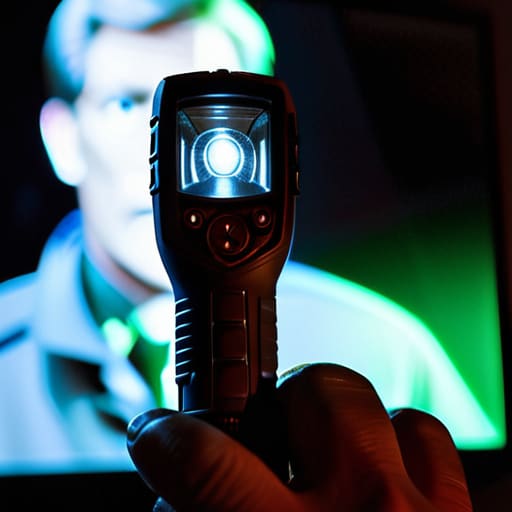
If you can hear the news anchor’s voice or the swell of a movie score, but the screen remains a void, you aren’t looking at a dead brain; you’re looking at a blind one. When I opened up my old Sony last summer, I found the processor was humming along just fine, but the light wasn’t reaching the eyes. This is the classic sign of backlight failure symptoms. In an LCD, those tiny LEDs act like a row of flashlight bulbs behind a painting. If the bulbs burn out, the “painting” is still there, but you’re trying to view it in a pitch-black room. To test this, take a bright flashlight and press it right against the glass. If you can see a faint, ghostly image of the menu or a character moving, then your panel is working, but your light source has given up the ghost.
Before you start unscrewing the chassis, though, don’t overlook the simple things. I’ve spent many an afternoon thinking a circuit was fried, only to realize I was just testing video cables that had wiggled loose behind the cabinet. A faulty HDMI cord can carry sound perfectly while dropping the data stream for the picture entirely. Always try checking HDMI connections or swapping the cable out for one you know works. It’s much easier to replace a five-dollar cord than it is to solder a new LED strip.
Shadows in the Circuit Black Screen Troubleshooting
If you can hear the news anchor’s voice but the screen remains a void, you’re likely staring at a classic case of backlight failure symptoms. When I opened up a similar unit last Tuesday, I found the LED strips behind the panel had simply given up the ghost. To test this without a screwdriver, take a bright flashlight and press it right against the glass. If you can see a faint, ghostly image of the menu or a movie moving behind the dark pane, the liquid crystals are doing their job, but the light bulbs that make them visible have died. It’s a heartbreaking realization, but at least we know the “brain” of the TV is still functioning.
Before you commit to a full teardown, though, don’t overlook the simplest physical links. I’ve spent many an afternoon testing video cables only to realize the copper pins inside were slightly bent or the shielding had frayed. I always suggest checking HDMI connections by swapping them with a known working cord from your game console. Sometimes, the “black screen” isn’t a broken circuit at all, but just a stubborn handshake failure between two digital devices.
A Few Lessons from the Workbench
- Stop blaming the software first; most of the time, a blank screen is just a physical disconnection. I’ve spent enough time with a multimeter to know that if the solder joints on the ribbon cables have cracked from heat cycles, no amount of “resetting the factory settings” will bring the image back.
- Check your backlight before you declare the panel dead. I always take a small flashlight to the screen while the TV is supposedly “on”—if you see a faint, ghostly outline of a menu, the LCD is working fine, but the LED strips behind it have simply given up the ghost.
- Don’t trust a single cable blindly. I once spent an entire afternoon chasing a “broken TV” only to realize the HDMI cable had a microscopic fracture in the shielding; if the signal isn’t clean, the processor won’t even attempt to draw the picture.
- Watch the capacitors like a hawk. When I open up an old unit, I’m looking for those little cylinders that look slightly bulged or have a bit of crusty residue on top; if they aren’t holding a steady charge, the board can’t send enough juice to wake up the display.
- Mind the static. If you’re poking around the internal boards, remember that these components are sensitive to the electricity dancing on your fingertips; I never touch a circuit unless I’ve grounded myself, or I’ll end up breaking something that was actually working just fine.
What I Learned Under the Hood
If you can hear the show but the screen is pitch black, the backlight bulbs have likely burnt out; they’re just tiny lamps that failed, not a mysterious software glitch.
Always check the power board for bulging capacitors—those little metal cans should be flat on top, and if they look like they’re about to pop, that’s your culprit.
Never assume a broken screen is a dead TV; often, it’s just a loose ribbon cable or a failed connection that a bit of careful cleaning and re-seating can fix.
The Final Inspection
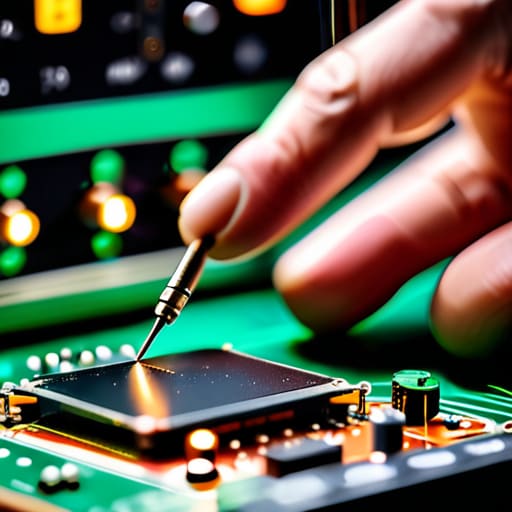
At the end of the day, diagnosing a dark screen usually comes down to a choice between a simple connection failure and a physical component giving up the ghost. We’ve looked at everything from the way the backlight fails to leave you with nothing but a faint, ghostly image, to those moments where the audio carries on perfectly while the visual side of the circuit simply goes silent. If you’ve checked your cables and confirmed the power board isn’t just a dead weight, you’re likely looking at a blown capacitor or a failed LED strip. It’s a matter of tracing the path of the energy until you find exactly where the flow stops.
I know it can feel intimidating when you’re staring at a piece of expensive, dark glass, but please don’t let the complexity scare you away from trying. There is a profound, quiet satisfaction in opening up a casing and realizing that even the most “magical” modern television is just a collection of predictable physical laws working in concert. Once you see the components for what they truly are—little soldiers doing a specific job—the machine stops being a mystery and starts being a puzzle. And as any teacher will tell you, once you learn how to solve the puzzle, you never have to fear the silence again.
Frequently Asked Questions
If I see a faint image when I shine a flashlight directly against the glass, does that mean the backlight is definitely the culprit?
If you’re shining a light and seeing those faint, ghostly outlines, then yes, you’ve found your culprit. It’s almost certainly the backlight. When I opened up my old Sony last month, I saw the exact same thing. The liquid crystals are still dancing and doing their job—that’s your image—but the lamps or LEDs that are supposed to illuminate them have gone dark. The engine is running, but the headlights are blown.
Is it worth trying to replace the capacitors on the power board myself, or am I likely to make a mess of the solder joints?
If you have a steady hand and a decent soldering iron, it’s worth the attempt. I’ve spent my weekends hunched over tiny clock escapements, so I know the frustration of a cold solder joint. However, don’t just swap them; look for the “bulge.” If the tops aren’t perfectly flat, they’re gone. Just be careful with the heat—too much and you’ll lift a copper pad, and then you’ve truly broken it.
Can a faulty HDMI cable actually cause a total black screen, or is that just a way to avoid admitting the internal hardware is failing?
It’s a fair question, and no, it’s not just an excuse to avoid the heavy lifting. I’ve sat at my workbench with a multimeter and a multimeter, and I’ve seen it: a cable with a microscopic fracture in the shielding or a bent pin in the connector. If the handshake between devices fails, the screen stays black. It’s not a hardware death; it’s just a broken conversation. Swap the cable before you declare the board dead.



