
I spent thirty-four years in a physics classroom watching bright-eyed students nod along to definitions they didn’t actually grasp, and frankly, the tech industry is doing the same thing to us. They throw around terms like “4K” and “Ultra HD” like they’re magical incantations, hoping you’ll just open your wallet and trust the marketing. But if you stop to ask what screen resolution numbers mean in a practical, physical sense, you realize most people are just chasing higher digits without understanding the actual density of information they’re paying for. It’s all just numbers on a spec sheet until you realize those numbers represent the physical limits of how light is being partitioned on a piece of glass.
I have no interest in reciting a brochure to you. Instead, I want to look at the math behind the light and explain how these grids actually behave when they are doing the heavy lifting of rendering your world. My goal is to strip away the sales jargon and show you the mechanical reality of the pixels. By the time we’re done, you won’t just be memorizing digits; you’ll understand exactly how much clarity you’re actually gaining—and more importantly, when those extra numbers are just expensive noise.
Understanding Monitor Pixel Counts When the Light Fades
I remember sitting at my workbench last Tuesday, squinting through a jeweler’s loupe at the escapement of a 1920s pendulum clock. It’s a lesson in precision: if the teeth on that wheel are even a fraction of a millimeter off, the whole mechanism loses its rhythm. Digital screens operate on a similar, albeit invisible, geometry. When we talk about understanding monitor pixel counts, we aren’t just discussing a list of numbers on a spec sheet; we are talking about the physical limits of how much information can be crammed into a specific area before it starts to look like a mosaic of colored sand.
The real trick is realizing that a high number doesn’t always mean a better picture if the physical space is too large. This is where the difference between 1080p and 4k becomes a matter of concentration rather than just quantity. If you stretch a low-density grid across a massive panel, you aren’t seeing more detail; you’re just seeing the gaps between the light. To truly grasp how resolution affects image clarity, you have to look past the total count and see how tightly those tiny light-emitting cells are packed together.
The Difference Between 1080p and 4k in the Dark
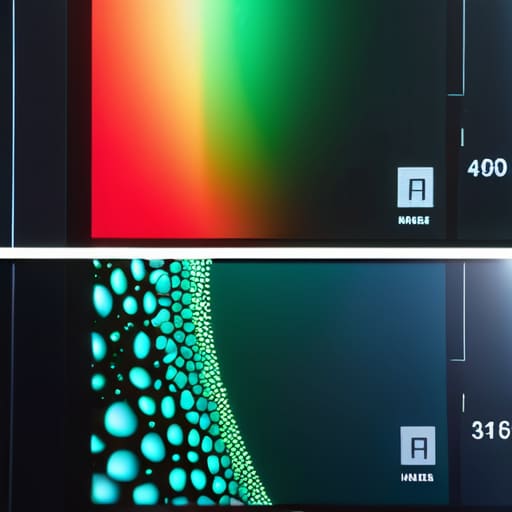
When I sat down with my old oscilloscope last week, it reminded me of how we often mistake “more” for “better” without looking at the actual distribution. If you take a 1080p monitor and a 4k monitor and put them side-by-side in a dim room, the difference isn’t just about brightness; it’s about the structural integrity of the light itself. In a 1080p display, the individual light-emitting diodes are large enough that, if you lean in close, you can almost sense the mechanical gaps between them. The light feels chunky, almost granular.
With 4k, however, the math changes the physics of your perception. You aren’t just seeing a sharper picture; you are seeing a much higher pixel density explained through the sheer lack of visible boundaries. Because there are four times as many tiny light sources packed into that same physical footprint, the light behaves more like a continuous fluid rather than a collection of dots. When you’re watching a film in the dark, 1080p shows you the grid, but 4k shows you the illusion of reality.
Five Things to Check Before You Buy the Box
- Don’t let the numbers lie to you; a 27-inch screen with 1080p resolution will always look grainier than a 24-inch screen with the same count, because the density—the actual physical tightness of those tiny light-emitting dots—is what dictates if an image looks like a solid object or a mosaic.
- Always look for the “PPI” (Pixels Per Inch) rather than just the total count, because if I were to peel back the liquid crystal layer, I’d want to see how many microscopic soldiers are packed into every millimeter to ensure they aren’t leaving gaps for your eyes to trip over.
- Match your resolution to your viewing distance, because if you’re sitting three feet away from a massive 4K monitor, you’ll see the magic, but if you’re across the room, you’re paying for a level of precision that your eyes aren’t even close to being able to register.
- Check your graphics card’s “muscle” before you commit to a higher number, because a 4K signal is essentially a massive amount of data being pushed through a straw; if your hardware can’t pump that many pixels fast enough, your screen will stutter like a clock with a rusted escapement wheel.
- Ignore the marketing buzzwords and look at the aspect ratio, because a number like “2560 x 1080” tells me more about the shape of the canvas than the quality of the paint, and if the shape doesn’t suit what you’re doing, the resolution won’t save you.
What to Carry in Your Pocket After the Screws are Put Back
Stop obsessing over the raw numbers in a spec sheet; resolution only matters in how it translates to the density of the grid your eyes actually perceive.
Higher resolution isn’t just “more detail”—it’s the ability for the screen to maintain a seamless image even when you’re sitting close enough to see the individual components.
If you can’t visualize how those millions of tiny light-emitting diodes work together to trick your brain into seeing a continuous curve, you haven’t truly grasped what the resolution is doing for you.
Beyond the Spec Sheet
At the end of the day, these numbers—the 1920s, the 3840s—are just shorthand for the density of a physical grid. When I sat at my workbench last night, I wasn’t thinking about “resolution” as a marketing term; I was thinking about how many tiny, glowing sub-pixels have to coordinate their dance just so you don’t see the seams. We’ve established that more pixels don’t just mean a bigger picture, they mean a finer grain of reality that holds up even when you aren’t staring directly at the center of the screen. Whether it’s 1080p or 4k, the true measure of a display is how it manages that light when the room goes quiet and the image becomes your entire world.
I spent thirty-four years teaching students that physics isn’t about memorizing formulas, but about seeing the invisible forces that make the world move. Technology should be no different. Don’t let the glossy brochures intimidate you with massive integers and confusing acronyms. Instead, look for the mechanical truth beneath the glass. Once you understand that a screen is simply a collection of tiny, controlled bursts of energy working in unison, the numbers stop being scary and start being tools for your own understanding. Now, if you’ll excuse me, I have a grandfather clock on my desk that has much more interesting gears than a liquid crystal display.
Frequently Asked Questions
If I have a massive 40-inch screen but a low resolution, why does everything still look like it's made of tiny little blocks?
It’s a matter of density, plain and simple. When I opened up my old desktop monitor last spring, I saw the grid: those tiny sub-pixel cells are the actual physical workers. If you stretch a small number of workers across a massive 40-inch stage, they have to grow larger to cover the distance. You aren’t seeing “blocks” because of the screen size; you’re seeing them because the pixels have been forced to physically expand.
Does a higher number actually mean the colors will look better, or is it just about how sharp the edges are?
It’s a common trap to conflate density with depth. When I opened up my old cathode-ray tube monitor back in the day, I saw how the electron beam danced; resolution is simply how tightly we pack those dots. Higher resolution sharpens the edges—it stops a circle from looking like a jagged staircase. But color? That’s a different circuit entirely. A high-resolution screen can still look washed out if the bit depth and color gamut aren’t there to support it.
Why does my laptop screen look so much clearer than my desktop monitor even though they both claim to be "High Definition"?
It’s a trick of the density, not just the label. I opened up my old tablet last week to see why the image felt so “solid,” and it comes down to pixel density. Your laptop is cramming thousands of tiny light-emitting dots into a tiny space, whereas your desktop is spreading them out over a much larger canvas. Even if they share a “High Definition” title, the laptop’s dots are so close together they’ve ceased to look like individual points.



