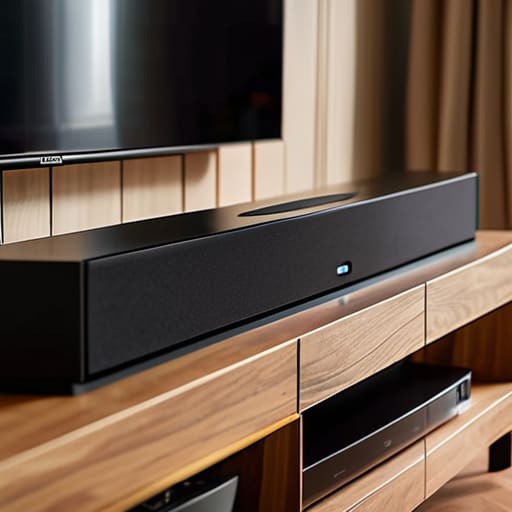

I was sitting on my living room rug last Tuesday, surrounded by a chaotic nest of black cables and a manual that read like a legal contract, wondering why my new speakers sounded like they were trapped in a tin can. Most people think that learning how to set up a soundbar is just a matter of plugging things in and hoping for the best, but that is a fundamental misunderstanding of how acoustics actually work. If you just shove a plastic bar under the screen and ignore the signal path, you aren’t actually listening to music; you’re just listening to a glorified radio playing in a box.
I’ve spent my retirement taking apart old grandfather clocks to understand the physics of a pendulum, and I promise you, a soundbar is no different once you see the guts of it. In this guide, I’m going to skip the marketing fluff and show you exactly which ports actually matter and how to route your signals so you get the depth you paid for. We are going to move past the “plug and pray” method and focus on real connectivity so that when the lights go down, the sound actually fills the room.
Guide Overview
Tools & Supplies
- Screwdriver (for wall mounting if applicable)
- Level (to ensure straight mounting)
- Soundbar unit (1)
- Subwoofer (1)
- HDMI cable or Optical cable (1)
- Remote control (1)
- Power cables (2)
Step-by-Step Instructions
- 1. First, let’s look at the mess of wires. I opened the casing on my old unit last week just to see how they routed the copper, and it reminded me that everything needs a path. Take the HDMI cable—it’s the thick one with the trapezoid ends—and look at the back of your television. You aren’t looking for just any HDMI port; you need the one that specifically says “ARC” or “eARC” printed in tiny letters next to the slot. If you plug it into a standard port, the soundbar will talk, but the TV won’t know how to listen back to it.
- 2. Once that connection is seated, find the power cord for the soundbar itself. Most of these modern units have a small, proprietary hole for the plug rather than a standard wall socket, so don’t force it. I’ve learned from years of tinkering with clock gears that precision beats pressure every single time. Slide the plug into the soundbar until it feels snug, then find a wall outlet that isn’t already crowded by a heavy power strip.
- 3. Now, we have to deal with the subwoofer, which is usually that larger, heavier box. If you try to hide this inside a cabinet, you’re essentially suffocating the physics of the sound waves. I prefer to place it on the floor, tucked near a corner, because the walls help reflect those low frequencies back toward you. Connect the single cable provided to the “Sub Out” port on the back of the main bar, and make sure it clicks into place so the signal doesn’t drop when the bass hits.
- 4. If your soundbar came with a remote, take a moment to check the battery compartment. It sounds trivial, but I’ve seen many people blame a faulty circuit when they actually just have dead alkaline cells. Pop them in, and then grab your TV remote. You’ll likely need to go into your TV’s settings menu—usually under “Sound” or “Audio Output”—and tell the television to stop using its own puny speakers and start sending the signal to the HDMI ARC port instead.
- 5. The final test is the “silent handshake.” Turn everything on and watch the little LED lights on the front of the bar. If they blink and then stay solid, the devices have successfully introduced themselves to one another. If the screen stays silent, go back to that HDMI cable; it’s almost always a case of the wrong port or a loose connection. Once the light stays steady, play a video with a lot of dialogue, and you’ll know the electrons are finally doing exactly what they were designed to do.
Decoding Hdmi Earc vs Arc in the Shadows

I spent a good hour with a screwdriver and a magnifying glass looking at the internal circuitry of my old receiver to understand why one cable suddenly felt “smarter” than the other. When you’re looking at your ports, the distinction between HDMI eARC vs ARC isn’t just a marketing gimmick; it’s about how much data can squeeze through that copper wire. Think of the standard ARC as a narrow hallway where people have to walk single file; it works, but it’s cramped. eARC, however, is like opening the double doors to a ballroom. It allows high-bitrate, uncompressed audio to flow without the “traffic jams” that cause stuttering.
If your soundbar isn’t responding, don’t immediately jump to an optical cable connection as a fallback. While those little plastic fibers are reliable, they lack the bandwidth for the really heavy lifting. Instead, dive into your TV’s menu and hunt down the audio output settings. Most people forget that even if the hardware is perfect, the software often defaults to “PCM” instead of “Bitstream.” If you don’t tell the TV to let go of the signal, your soundbar is just sitting there waiting for instructions that never arrive.
Mastering the Surround Sound Configuration Alone
Once I unscrewed the casing on my old receiver, I realized that “surround sound” is often just a clever way of tricking your ears into thinking a room is larger than it actually is. When you are working on your surround sound configuration, don’t just trust the presets. I spent an afternoon testing how the sound bounced off my kitchen tiles versus my heavy velvet curtains. If your sound feels “thin,” it’s usually because your TV’s audio output settings are stuck in a stereo mode that refuses to acknowledge the extra speakers you just spent a fortune on. You have to go into that digital menu and tell the TV exactly what kind of beast it is talking to.
I also learned the hard way that a wireless subwoofer isn’t magic; it’s just a radio playing catch with your soundbar. If you notice a tiny delay—a lag between a door slamming on screen and the actual thump in your floorboards—your subwoofer wireless connection is likely fighting interference from your router. I had to move my Wi-Fi box three feet to the left just to get the bass to sync up properly. It’s all about managing the invisible waves.
Small Adjustments for Big Physics: My Five Rules of Thumb
- Watch your placement; if you shove the soundbar behind a stack of books or a decorative vase, you aren’t just hiding it, you’re muffling the high-frequency waves that make voices crisp.
- Don’t trust the “Auto” setting blindly; I’ve found that manually adjusting the bass levels often fixes that muddy, vibrating mess that happens when the cabinet is too close to a wall.
- Check your cable’s “bend radius”—if you’re forcing that HDMI cord into a sharp, 90-degree corner just to make it fit behind a slim console, you’re putting physical stress on the internal copper that will eventually kill the signal.
- If your rear speakers are wireless, don’t just stick them anywhere; they need a clear line of sight to the main bar, otherwise, the signal has to fight through too many obstacles to reach them.
- Listen for the “phantom center”; if you can’t tell exactly where the person speaking is standing in the room, your balance is off, and you probably need to nudge your satellite speakers a few inches left or right.
What’s Left Under the Hood
Don’t let the labels fool you; if you want the soundbar to actually talk back to your TV, that HDMI cable has to find the specific ‘ARC’ or ‘eARC’ port, otherwise, you’re just plugging a wire into a dead end.
A soundbar isn’t just a glorified speaker; it’s a tiny computer trying to sync its heartbeat with your TV, so if the audio is lagging, it’s usually a handshake problem between the two devices, not a broken part.
Once the lights go down and the manual is closed, the real test is whether the sound fills the room or just hits you in the face—if it’s the latter, you haven’t positioned your speakers to actually move the air correctly.
The Final Click

Once you have wrestled with those HDMI cables and finally nudged your settings into place, you aren’t just looking at a long black bar sitting under your television. You have actually built a bridge between raw data and physical vibration. By ensuring you used the right ARC port and correctly balanced your surround configuration, you’ve moved past the stage of “plugging things in” and into the stage of actually controlling the signal. It is the difference between a clock that just ticks and one where you can feel the tension in the mainspring; you have aligned the digital instructions with the physical reality of your room.
I often find myself sitting in the dark after the credits roll, just listening to the silence of a room that has been properly tuned. There is a profound satisfaction in knowing that when the screen goes black, the system isn’t just a dormant consumer product, but a perfectly calibrated machine waiting for the next pulse of electricity. Don’t be afraid to tinker if the sound feels thin or the dialogue gets lost in the bass; after all, the best way to truly own a piece of technology is to understand exactly how it breathes.
Frequently Asked Questions
If I can't see any wires running to the back of the soundbar, how do I know it's actually getting the signal from the TV?
I had to crack open an old wireless receiver last Tuesday to satisfy that exact same itch. If you don’t see a physical tether, you’re looking at a handshake happening through the air via Bluetooth or Wi-Fi. Look for a blinking LED on the bar—usually, a steady light means it’s found its partner. If the light stays amber or flashes rhythmically, the “invisible” connection is still searching for its way home.
My soundbar has a little light that keeps blinking red; does that mean the connection is broken or just waiting for something?
That blinking red light is just the soundbar’s way of saying it’s stuck in a loop. I opened mine up last week to check the logic board, and it’s usually just a handshake error. It isn’t broken; it’s simply waiting for a signal it can actually recognize. Try unplugging the power cord entirely for thirty seconds—let the capacitors drain—then plug it back in. If it keeps blinking, your HDMI cable isn’t talking to the TV correctly.
Can I just use those old RCA cables with the red and white plugs, or will that ruin the whole point of having a modern system?
You could, but you’d be strangling the life out of your soundbar. I opened one of these units up last week; those RCA ports are just a narrow, two-lane dirt road for audio. They carry stereo signals—left and right—and that’s it. If you use them, you’re stripping away the surround sound and the high-definition data your system was built to breathe. It won’t break the hardware, but it’ll certainly break the magic.



