

I spent thirty-four years watching students stare blankly at physics equations, waiting for some magical spark to make the math feel real. Marketing departments do the exact same thing to us now, burying you under a mountain of “gigahertz” and “nits” to distract you from the actual utility of a device. They want you to believe that a higher spec sheet equates to a better experience, but they’re selling you a ghost. When I’m looking at how to choose a handheld, I don’t care about the theoretical peak performance listed on a glossy box; I care about how the weight distributes in my palm when I’m tired, and whether the buttons actually click with a mechanical certainty.
I’m not going to give you a spreadsheet of numbers to memorize. Instead, I’m going to talk to you about the physical reality of these machines—the way they fit into a life already in motion. I promise to guide you through the process by looking past the digital curtain and focusing on the ergonomics and the habits they force upon you. We are going to find a tool that doesn’t just sit on a desk, but one that actually works when you aren’t looking at it.
Deciphering Handheld Gaming Console Specs in Isolation
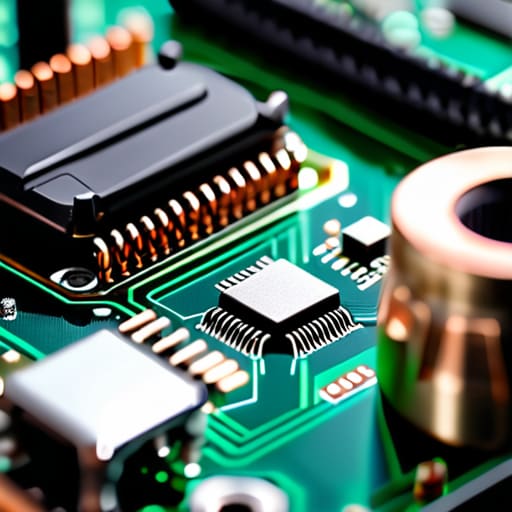
When I sat at my workbench last Tuesday, I had a modern handheld stripped down to its motherboard, staring at the tiny silicon chips that supposedly do all the heavy lifting. It’s easy to get lost in the marketing jargon, but when you look at the actual hardware, you realize that handheld gaming console specs are often just a way to hide how much heat a device generates. I don’t care about a theoretical teraflop if that number means the internal fans have to scream like a jet engine just to keep the processor from melting.
You have to look past the glossy brochures and ask what happens when the screen is dimmed and the power is low. I always look at the relationship between the handheld screen resolution and brightness and the actual power draw. A stunningly sharp display is useless if it drains the cell in forty minutes, leaving you with a very expensive, very bright paperweight. I want to know how the components manage the load when I’m just trying to squeeze in a quiet round of something simple during a long train ride.
Ergonomic Handheld Design That Holds Its Own
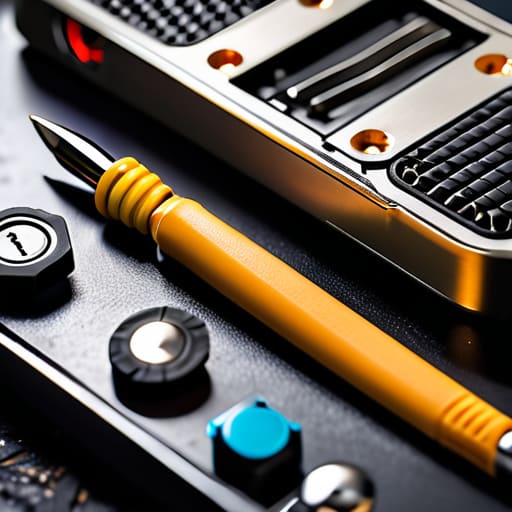
I spent last Tuesday with a screwdriver and a set of precision tweezers, working my way through the casing of a popular compact console. Once I got past the shell, I wasn’t looking at the chipsets; I was looking at the tension in the buttons and the way the internal chassis distributes weight. You see, a device can have the most impressive handheld gaming console specs on paper, but if the center of gravity is skewed toward the top, your wrists will pay the price after twenty minutes. I look for a build where the components are tucked tightly against the palms, ensuring that the physical leverage feels natural rather than forced.
When I evaluate an ergonomic handheld design, I’m thinking about the “blind” mechanics—how the buttons feel under your thumbs when you aren’t even looking at them. I want to feel the tactile click of a trigger without having to hunt for it. It’s about the way the plastic or rubberized grips marry to your skin. If the housing is too thin or the angles are too sharp, it’s just a piece of glass and silicon. A truly well-made device should feel like an extension of your own hands, even when you’re halfway through a difficult level in a dark room.
The Small Details That Matter When the Screen Goes Dark
- Check the sleep mode latency. I spent a Tuesday afternoon with a screwdriver and a multimeter because I couldn’t understand why my last device took ten seconds to wake up. If you can’t tap a button and have the machine ready to go before you’ve even finished your first sip of tea, it’s going to become a paperweight by next month.
- Look at the weight distribution, not just the total grams. A device can be light as a feather, but if the center of gravity is shoved too far toward the top, your wrists will be screaming at you after twenty minutes. I want a device that feels balanced in my palms, even when I’m not actively gripping the buttons.
- Test the tactile “click” of the buttons. I’ve spent enough hours cleaning grit out of old clock escapements to know that resistance is everything. You want a button that provides a clear, physical snap—a mechanical confirmation that the circuit has closed—rather than a mushy membrane that leaves you guessing if you actually pressed it.
- Verify the battery’s thermal behavior. When I opened up my previous handheld, I saw how the heat sink was positioned poorly, right against the battery cell. You don’t want a device that turns into a hand-warmer after an hour of play; heat is just wasted energy that should be powering your game instead.
- Inspect the port placement and durability. A charging port shouldn’t be in a position where a single accidental nudge from a stray cable can snap the internal solder joints. If the connection feels flimsy or requires a specific, awkward angle to stay seated, the mechanical integrity simply isn’t there.
The Three Laws of the Pocket-Sized Machine
Stop obsessing over the raw numbers on the box; once I opened up my last handheld, I realized the “teraflops” don’t matter if the heat sink is too small to keep the processor from throttling the moment you actually start playing.
Look for buttons with physical travel and a distinct tactile click, because if you can’t feel the mechanism engage through your skin, you’ll end up fighting the device instead of enjoying the game.
Test the weight distribution while the battery is actually inside; a device might feel light in a shop, but once you add the mass of a full charge, it should still sit in your palms like a balanced tool rather than a heavy brick.
The Final Inspection

At the end of the day, choosing a handheld isn’t about chasing the highest clock speed on a spec sheet or buying the device with the most marketing buzzwords. It comes down to how the internal components translate into your actual, lived experience. You have to weigh the raw power of the processor against the physical reality of how that heat dissipates against your palms, and ensure the battery chemistry actually supports the habits you intend to form. If the weight distribution is off or the buttons lack a satisfying mechanical travel, even the most powerful chip in the world won’t stop you from setting the device aside after ten minutes. You are looking for a seamless marriage of hardware and habit.
I spent my career teaching students that physics isn’t just a collection of equations in a textbook; it is the invisible force governing every movement in the room. Your handheld is no different. It is a collection of circuits, lithium, and plastic designed to disappear into your life. Don’t settle for a gadget that demands your constant attention just to function. Instead, find the one that works so intuitively, so reliably, that you forget it’s even there. After all, the best technology is the kind that simply does its job while you are busy living yours.
Frequently Asked Questions
When I'm sitting in my armchair in the evening, how much will the battery actually last before I have to hunt for a charging cable?
The spec sheet will lie to you. It’ll boast about “hours of playtime,” but that’s measured under laboratory conditions with the brightness dimmed to a whisper. I took the casing off my last handheld to see the cell itself; it’s a thin lithium-polymer slab, and it’s fighting a constant battle against the screen’s backlight and the processor’s heat. In reality, if you’re playing something demanding, expect a much shorter window before you’re hunting for that cable.
If I take the casing off, is there enough room in the internal architecture for a larger memory card, or am I stuck with what's soldered on?
I actually did this to my old handheld last Tuesday. Once I unscrewed the shell and cleared the dust, I saw the truth: most modern units have a dedicated microSD slot tucked near the battery. However, if you see a tiny chip soldered directly to the logic board with no slot in sight, you’re stuck. You can’t magically grow the silicon. Unless there’s a physical gateway, that memory is part of the permanent architecture.
How loud are the cooling fans going to be when I'm trying to play something demanding in a quiet room?
I had to open up my old handheld last Tuesday just to see how the heat dissipation was managed. When you’re running something heavy, those tiny centrifugal fans have to spin at incredible speeds to move air across the heatsink. It’s physics: more heat means more airflow is required. If the device is thin, you’ll hear a high-pitched whine. Look for units with larger heat pipes; they do the heavy lifting so the fans don’t have to scream.



