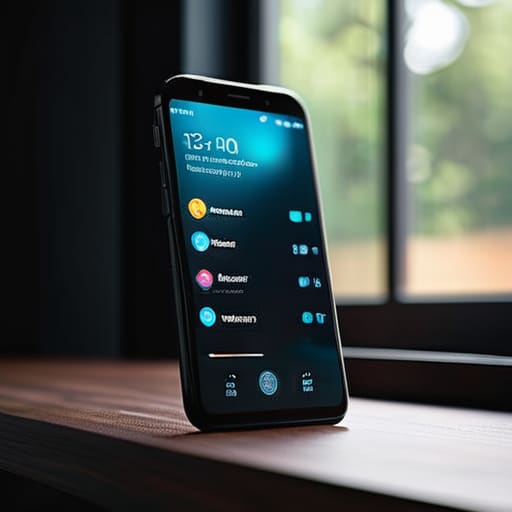

I was sitting at my workbench last Tuesday, squinting through my loupe at the escapement of a 19th-century carriage clock, when I realized my own digital security was just as messy as a box of rusted gears. I had spent twenty minutes hunting for a login, feeling that familiar, sharp prickle of frustration, only to realize I had been trying to force a square peg into a round hole with a reused password. Most people treat digital security like some impenetrable black box of magic, but I refuse to believe in magic; I believe in mechanics. If you are struggling with how to use a password manager app because the setup feels like trying to read a manual written in a language you don’t speak, you aren’t alone. It isn’t about being “tech-savvy,” it’s about understanding the underlying architecture of how your credentials are stored and retrieved.
I’m not here to sell you on a subscription or drown you in cybersecurity jargon that sounds more like a fever dream than a solution. Instead, I’m going to show you the inner workings of these tools by stripping away the marketing fluff and looking at the actual habitual mechanics. My promise is simple: I will explain how to use a password manager app by treating it like a well-oiled machine that works in the background, even when you aren’t looking. We will focus on the practical movements—the way you input data, the way it auto-fills, and how to ensure the vault stays locked tight while you’re busy living your life.
Master Password Importance the Single Key to Everything
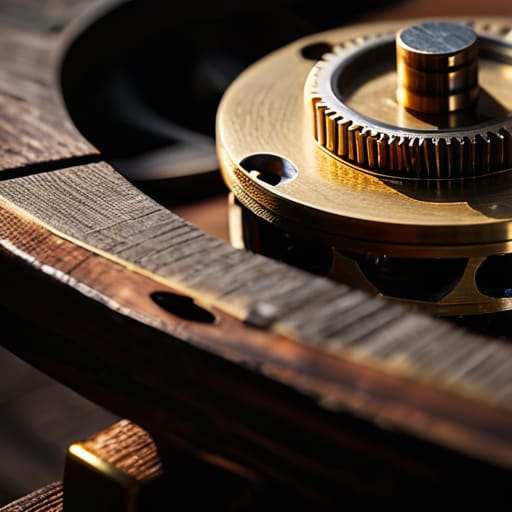
When I sit at my workbench with a vintage pendulum clock, I know that if the mainspring is flawed, the entire mechanism is useless, no matter how polished the brass gears are. A password manager functions much the same way. Everything rests upon your master password. This isn’t just another string of characters; it is the single point of failure and your primary line of defense. Because this one key unlocks your entire secure credential storage, it must be something that lives only in your mind—never written on a sticky note or saved in a digital file.
I always tell my former students that a system is only as strong as its most critical component. In this case, the master password importance cannot be overstated. If you choose something predictable, you’ve essentially left the front door of your digital life unlocked. To truly sleep soundly, I recommend pairing this key with a robust two-factor authentication setup. It’s like adding a physical deadbolt to a digital door; even if someone manages to guess your combination, they still can’t get past that second, physical layer of verification.
Secure Credential Storage Protecting What Happens in the Dark

Once I sat at my workbench with an old mechanical watch, staring at the tiny brass gears. Even when the hands aren’t moving, those gears are still there, held in place by tension and precise alignment. A password manager works much the same way through secure credential storage. When you aren’t actively logging into your bank or your email, your data isn’t just floating around the internet; it is tucked away inside a digital vault. The app uses complex mathematical encryption—think of it as a series of microscopic, interlocking tumblers in a high-security safe—to scramble your information so that it remains unreadable to anyone without the key.
This is where the real magic happens: the work that occurs while you are sleeping. By implementing proper password vault management, the software ensures that every single one of your credentials is encrypted at rest. It doesn’t matter if you are browsing for gardening tools or reading the news; the vault is constantly maintaining that structural integrity. It is the silent, mechanical precision of the software that keeps your digital life organized and shielded, ensuring that your private information stays exactly where it belongs: behind a very heavy, very complex door.
Setting the Gears in Motion: Five Habits for a Smooth-Running System
- Treat your Master Password like the mainspring of a fine timepiece; it is the single source of tension that keeps everything else moving, so make it long, complex, and impossible to guess, but something your fingers can learn by muscle memory.
- Let the app do the heavy lifting by using the built-in generator for every new account; I don’t care if a password looks like a cat walked across a keyboard, as long as it’s a randomized string of characters that no human brain could ever reconstruct.
- Enable Two-Factor Authentication on your password manager itself, adding a second physical “lock” to the door so that even if someone somehow swiped your master key, they still couldn’t get inside the vault.
- Use the browser extension to automate the “handshake” between your device and the website; once you’ve set it up, the app sits quietly in the background, recognizing the site and offering the correct key before you even realize you’ve reached the login screen.
- Conduct a periodic “clean sweep” of your digital drawers by using the manager’s audit tools to find old, weak, or reused passwords; just like cleaning the grit out of a clock movement, removing these vulnerabilities keeps the whole mechanism from seizing up.
The Physics of a Secure Digital Life
Treat your Master Password like the mainspring of a fine timepiece; if it’s weak or poorly constructed, the entire mechanism fails to keep time.
A password manager works best when it is invisible, handling the heavy lifting of authentication in the background while you focus on the task at hand.
Security isn’t a static state but a continuous process of maintaining your digital tools, much like oiling the gears of a clock to prevent friction and decay.
The Quiet Mechanics of Digital Safety

When I look at a password manager, I don’t see a complex piece of software; I see a beautifully designed mechanical lockbox. We’ve covered how that single, sturdy master password acts as the main spring for the entire mechanism, and how the encrypted vault ensures your credentials stay tucked away in the dark, safe from prying eyes. By moving away from the habit of reusing simple, predictable strings of characters, you are essentially replacing a flimsy latch with a precision-engineered deadbolt. It is about shifting your digital habits from reactive guesswork to a system of structured, automated security that works exactly as intended, even when you aren’t actively managing it.
I spent decades teaching my students that you cannot truly master a concept until you understand its underlying physics. The same applies here. You don’t need to be a computer scientist to benefit from this technology; you just need to trust the mechanics of the system you have put in place. Once you set up your vault and commit that master key to memory, the heavy lifting happens in the background, silent and invisible. Think of it as the perfectly calibrated pendulum in one of my clocks—it keeps everything in rhythm without you ever needing to touch it. Now, go ahead and set your digital house in order; you’ll find that once the machinery is running smoothly, you can finally stop worrying about the locks and start enjoying the peace of mind.
Frequently Asked Questions
What happens if I lose my master password and I'm locked out of everything?
The terrifying truth is that there is no “back door.” When I opened up my old pendulum clocks, if a gear was lost, it was gone; a password manager is the same. It’s designed so that even the company making it can’t peek inside. If you lose that master key, the vault stays locked forever. That is why I always write my master password on a piece of paper and hide it in my physical safe.
Is it actually safer to keep all my digital keys in one single "vault" rather than spreading them out?
It feels counterintuitive, doesn’t it? In my workshop, I’d never put every single gear and spring from every clock into one giant bin; if one thing goes wrong, the whole lot is lost. But digital security isn’t about physical clutter. Spreading passwords out is like leaving dozens of tiny, flimsy windows unlocked. A vault is a single, heavy steel door. It’s much easier to reinforce one massive entrance than to guard a hundred tiny cracks.
How do I know if the app is actually working in the background without me having to check it every five minutes?
You don’t need to watch it; you just need to watch for the hand-off. Think of it like a well-oiled escapement in a clock—you don’t see the gears turning, but you see the hands move. When you land on a login page and those little fields suddenly fill themselves in, or a little key icon pops up asking to “Autofill,” that’s the mechanism engaging. If the gears are clicking behind the scenes, the work is getting done.



