

I spent thirty-four years watching students stare at chalkboard equations as if they were written in a dead language, but nothing frustrates me quite like the modern obsession with “productivity ecosystems.” Most people approach learning how to set up a note taking app by downloading every shiny, subscription-based tool on the market, thinking that a complex web of plugins and widgets will somehow compensate for a lack of clarity. It’s a fallacy. If you spend more time decorating your digital workspace than actually recording a thought, you aren’t building a system; you’re just polishing the casing of a machine that doesn’t even have gears inside.
I don’t care about the bells and whistles or the marketing jargon that promises to “revolutionize your workflow.” My approach is much more surgical: we are going to strip this software down to its barest mechanical components to see what actually moves the needle. I am going to show you how to build a structure that functions even when you aren’t looking at it, focusing on the logic of retrieval rather than the aesthetics of the interface. By the time we’re done, you won’t just have an app; you’ll have a reliable extension of your own mind.
Designing a Knowledge Management Framework for Quiet Moments
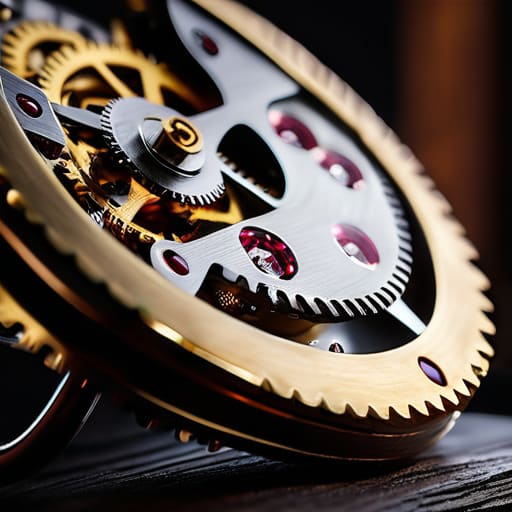
When I sit at my workbench with a disassembled escapement, I’m not just looking at gears; I’m looking at how energy transfers from one state to another without me nudging it. A good knowledge management framework should function exactly the same way. It needs to be a silent mechanism that captures a fleeting thought while you’re washing dishes or walking the dog, storing it so that it’s ready for you when you actually sit down to work. If your system requires a heavy manual of “how-to” steps every time you have a spark of inspiration, the friction will eventually kill the spark.
The real magic happens in the tension between tagging vs folder hierarchy. Folders are like rigid drawers in a cabinet—neat, but they force a piece of information into a single, lonely box. Tags, however, act more like the teeth on a gear, allowing one idea to mesh with several different concepts simultaneously. I want my digital notes to have that same kind of interconnected fluidity. You shouldn’t have to “file” a thought; you should simply drop it into the machine and trust the architecture to hold it until you need it.
The Architecture of Note Taking Workflow Optimization
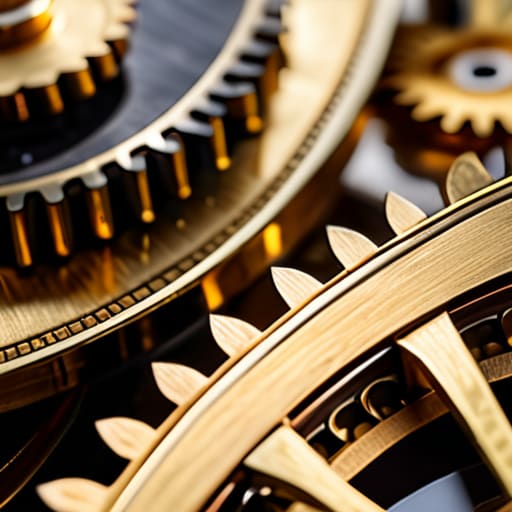
When I opened up my old grandfather clock last Tuesday, I wasn’t looking at the hands; I was looking at the escapement—the tiny mechanism that regulates the release of energy. A note-taking app is no different. If you just dump text into a digital void, you haven’t built a tool; you’ve just built a landfill. True note-taking workflow optimization requires you to understand the tension between how information enters your system and how it is released back to you when your brain is idling. You have to design the gears so that the momentum of a single thought can eventually turn the larger wheels of a project.
I spent most of my career watching students struggle with the tagging vs folder hierarchy debate, much like how people struggle with digital filing. Folders are like rigid wooden compartments; they are sturdy but inflexible. Tags, however, are more like the magnetic properties in a circuit—they allow connections to exist without physical boundaries. To make this work, your system needs to facilitate effective note retrieval methods that don’t require you to consciously “file” every single scrap of data. If the mechanism doesn’t trigger automatically when you need it, the clock is broken.
The Mechanics of Information: Five Ways to Tune Your Digital Engine
- Stop building a filing cabinet and start building a retrieval system. When I open a clock, I’m not looking at the gears for their beauty; I’m looking at how they transfer energy. Your app shouldn’t just hold data; it should move an idea from a fleeting thought to a usable piece of knowledge. If you can’t find a note in three clicks, your mechanism is jammed.
- Limit your top-level folders to the bare essentials. In physics, we don’t clutter a diagram with every single particle; we focus on the forces that matter. If you have fifty folders on your sidebar, you aren’t organizing; you’re just hiding things from yourself. Aim for a lean structure that reflects your actual habits, not an idealized version of a scholar you think you should be.
- Use “Tags” as your connective tissue, not your primary storage. Think of tags like the oil in a machine—they allow parts to move smoothly against one another. A note on “Thermodynamics” might also belong to “Exam Prep” or “Summer Reading.” Tags allow a single piece of information to exist in multiple contexts without you having to duplicate the “part.”
- Establish a “Capture” protocol for when you aren’t looking. A good machine works autonomously. You need a way to dump information into the app—a quick voice memo or a single text field—that doesn’t require you to decide where it “belongs” immediately. If the friction of organizing prevents you from recording the thought, the system has failed its primary function.
- Perform regular “Maintenance Cycles” on your digital scraps. Just as I have to clean the grit out of a watch movement every few years, you have to prune your notes. Once a month, look at your “Inbox” and your stray scraps. If a note doesn’t serve a purpose or connect to a larger project, archive it or delete it. A cluttered system is a heavy system, and heavy systems are hard to move.
The Mechanics of a Living System

A note-taking app isn’t a filing cabinet; it’s a kinetic mechanism that must move information from your eyes to your hands without friction, or it will simply collect dust like a broken escapement.
If your digital structure requires a manual every time you want to record a thought, the architecture is flawed; your system must work even when your focus is fractured.
True organization is found in the “idle state”—if your notes don’t automatically connect or resurface to aid your thinking when you aren’t actively searching for them, you haven’t built a system, you’ve just built a digital graveyard.
The Mechanics of a Living System
Setting up this digital notebook isn’t about finding the flashiest software; it is about building a machine that functions even when the power is off and your mind is elsewhere. We have looked at how to structure your framework, how to optimize the workflow, and how to ensure your notes serve a purpose during those quiet, unobserved moments. Remember, a system is only as good as its mechanical reliability. If you spend more time adjusting the gears of the app than actually capturing thoughts, you haven’t built a tool—you’ve built a distraction. Your goal is to create a seamless cognitive extension that requires zero friction to operate.
I spent years teaching students that physics isn’t just a collection of formulas, but a way to describe how the world actually moves. Your note-taking system is exactly the same. It is the underlying physics of your intellect. Don’t be afraid to take it apart, strip away the features that don’t serve you, and rebuild it until it feels as intuitive as a well-oiled clock. When you finally reach that point, you won’t just be “using an app”—you will be mastering the architecture of your own curiosity. Now, go open that blank page and start building.
Frequently Asked Questions
If I spend all my time organizing these digital folders, am I actually doing any thinking, or am I just rearranging the furniture?
If you’re spending your afternoon color-coding tags instead of recording insights, you’re just polishing the brass on a ship that isn’t moving. I learned this with old grandfather clocks; if I spend all my time cleaning the casing and never touch the escapement, the time stays wrong. A note-taking app is a tool, not a museum. If the system doesn’t serve your thoughts when the screen is dark, it’s just digital clutter.
How do I know if my system is actually working when I’m not actively sitting at my desk?
Think of it like a pendulum clock. When I’m not standing over it, I don’t need to see the gears turning to know it’s working; I just check if it’s still keeping time. Your system is working if, when a random thought strikes you at the grocery store, you don’t feel that frantic friction of “where does this go?” If the idea flows into a slot without you having to stop and recalibrate your entire mental engine, the mechanism is sound.
Once I've stripped the app down to its basic mechanics, how do I stop myself from adding too many "bells and whistles" that just get in the way?
Think of it like a pendulum clock. If you add too many decorative weights, the escapement struggles to keep time. In your app, every “feature” is a new moving part that requires energy to maintain. I follow a strict rule: if a tool doesn’t serve the core movement of capturing a thought, it’s just friction. If you can’t explain how a specific plugin helps you remember something while you’re washing the dishes, leave it out.



