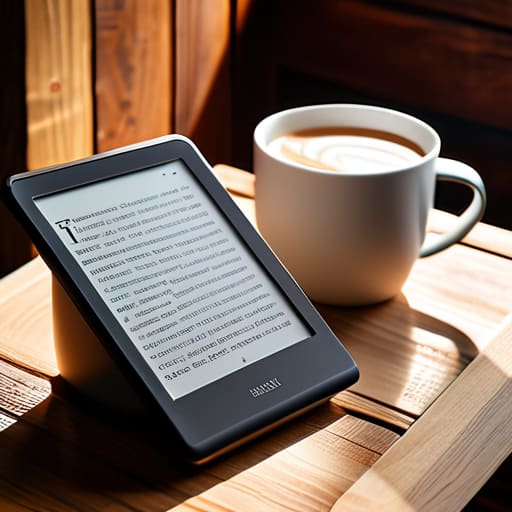

I spent thirty-four years in a classroom watching students stare blankly at textbooks, waiting for the magic to happen, and I see that same look when people browse tech websites. They get lost in a sea of “nit brightness,” “refresh rates,” and “processor speeds,” as if those numbers actually mean anything when you’re curled up in a chair at 11:00 PM. Most of those glossy reviews won’t tell you the truth about how to choose an e reader that actually works when the room is dark and your eyes are tired. They sell you on the specs, but they forget to tell you if the device feels like a tool or a chore.
I’m not going to give you a spreadsheet of technical jargon that I haven’t verified with a screwdriver and a magnifying glass. Instead, I want to talk about the mechanics of the experience—the weight in your palm, the way the screen reacts to a thumb press, and whether the battery actually holds its charge when the backlight is fighting a dim lamp. My promise is simple: I will help you find the device that disappears into your reading habit, because if a gadget demands your attention away from the story, it has failed its primary function.
E Ink Display Technology and the Art of Disappearing

I spent three hours last Tuesday with a precision screwdriver and a heat gun, trying to get past the adhesive seal on a brand-new Paperwhite. Once I finally pried the casing open, I wasn’t looking at a circuit board; I was looking at a microscopic battlefield. Unlike your phone, which uses a backlight to scream light directly into your retinas, e ink display technology is a much more polite affair. It relies on tiny microcapsules filled with positively charged white particles and negatively charged black particles. When you tap the screen, an electric field moves these pigments to the surface. It is a physical, mechanical dance happening at a scale we can barely perceive.
The magic happens when you stop looking at the screen and start looking at the ink. Because the particles stay exactly where the charge places them, the image requires zero energy to maintain. This is why the device can sit on your nightstand for weeks without a charge. When the screen is static, it isn’t “on” in the way a television is; it is simply a physical state of matter. I find there is a certain dignity in a device that only works when you actually have something to say to it.
Digital Book Storage Capacity for the Unseen Library
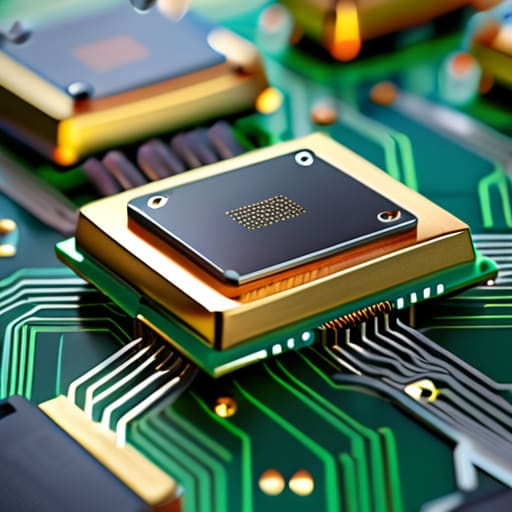
When I opened up my first portable reader, I wasn’t looking at the processor speed; I was looking at the flash memory chip soldered to the board. It’s a tiny, unassuming sliver of silicon, but it is the vessel for your entire library. Most people get caught up in the sheer number of gigabytes, but I find it more useful to think about the physical footprint of a story. A single text-heavy novel is a mere whisper of data, but if you are the type of person who collects high-resolution graphic novels or audiobooks, that tiny chip starts to feel very crowded, very quickly.
You have to decide if you want a device that acts as a specialized tool or a heavy-duty warehouse. If you only read standard prose, even a modest digital book storage capacity will feel infinite. However, if you intend to carry your entire collection—including those heavy, image-rich files—you’ll want a device that doesn’t force you to play a game of “delete to add.” I always tell my students: don’t buy for the capacity you have now; buy for the clutter you haven’t even created yet.
The Mechanics of the Experience: Five Things to Test Before You Commit
- Check the weight distribution. I spent a weekend with a screwdriver and a magnifying glass once trying to understand why certain handheld tools felt “unbalanced” in the hand; e-readers are no different. If it feels like a heavy slab of lead after twenty minutes, your wrist will pay the price for your reading habit.
- Feel the friction of the screen. When I take apart a mechanical clock, I look for the resistance in the gears. With an e-reader, you want to feel a slight, paper-like drag under your fingertip. If the surface is too slick, it’s just another glass pane that will distract you from the story.
- Test the physical buttons. Some devices rely entirely on a touchscreen, but there is a certain mechanical satisfaction in a tactile button that tells your brain, “I have turned the page.” It’s much like the click of a well-oiled escapement—it provides a physical confirmation that the work is done.
- Evaluate the light temperature. I’ve dismantled enough lamps to know that “white” is a lie. Look for a device that allows you to shift from a harsh, blueish daylight to a warm, amber glow. You want a light that mimics a candle in a dim room, not a fluorescent bulb in a laboratory.
- Inspect the build’s “sealed” nature. I don’t trust anything that can’t handle a bit of dust or a stray drop of water. If you plan to read in the garden or near a bathtub, ensure the casing is actually sealed against the elements, rather than just being “water-resistant” in theory.
The Physics of a Good Read
Don’t get distracted by pixel density numbers; focus on the E Ink refresh rate, because if the screen stutters like a poorly timed escapement, your eyes will feel the friction long before your brain realizes it.
Forget the “thousands of books” marketing fluff and check the actual weight and grip; a device is only as good as its ability to sit in your hand without making you feel like you’re holding a heavy slab of industrial hardware.
Look past the fancy backlit settings and find the one that mimics the soft, directional bounce of light on paper, rather than the aggressive, direct glow of a smartphone that breaks the illusion of the page.
The Final Assembly
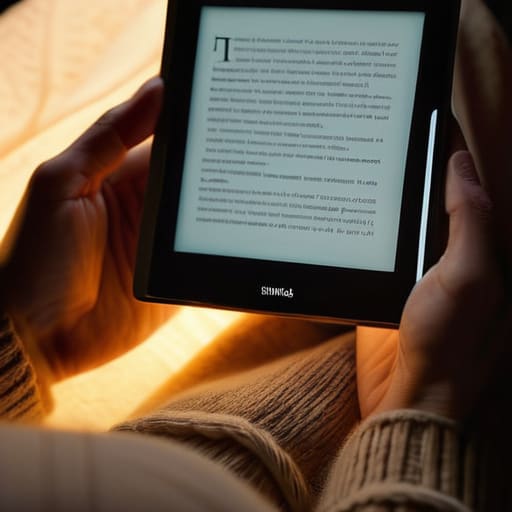
Choosing the right device isn’t about hunting for the highest megahertz or the most complex software architecture; it is about finding the right balance of mechanics and intention. We have looked at how the E Ink screen must mimic the stillness of paper and how the storage capacity should act as a silent, invisible reservoir for your thoughts. Whether you prioritize a device with a warm light for late-night reading or one that feels light enough to vanish in your palm, remember that the best technology is the kind that requires no conscious thought to operate. You aren’t buying a computer; you are buying a way to quiet the noise of the modern world so you can finally hear the story.
I spent my career teaching students that physics isn’t just a set of equations on a chalkboard, but the hidden rhythm of everything they touch. An e-reader is much the same. When you find the right one, the buttons will feel intuitive, the battery will simply be there when you need it, and the screen will become nothing more than a window. My advice? Don’t get lost in the technical jargon of the marketing brochures. Look for the device that feels like it was built to get out of your way. After all, the most beautiful machines are the ones that disappear entirely the moment you start using them.
Frequently Asked Questions
If I'm planning to read mostly in bed at night, how much does the built-in light actually interfere with the "paper" illusion?
I had to crack open an older Nook just to see how the light distribution worked, and it’s quite clever. Unlike a tablet that blasts light directly into your retinas, an e-reader’s LEDs sit at the edges of the screen. They bounce light across the surface, through the E Ink layer. It’s more like a lamp illuminating a page than a screen glowing at you. If you adjust the warmth, the illusion holds beautifully.
I've seen different sizes for these screens; does a larger display actually make reading easier, or does it just make the device too heavy to hold for a long chapter?
I spent an afternoon with my jeweler’s loupe and a set of precision drivers, poking through the casing of a 7-inch model compared to a 10-inch one. It comes down to the physics of leverage. A larger screen mimics a physical book’s proportions, which reduces eye strain because you aren’t constantly scanning. However, once you hit that extra weight, your wrist starts fighting the device. If you read lying down, go small; if you’re at a desk, go big.
When we talk about battery life, are we talking about the energy it takes to keep the screen on, or how much power is lost just sitting there on my nightstand?
It’s actually a bit of both, but the magic is in the “sitting there” part. When I opened my old Kindle last week, I realized the E Ink microcapsules are bistable. Once the charged particles move to form a letter, they stay there without needing a single drop of electricity. The battery only works hard when you actually turn a page. Most of your power is lost to the background “noise” of the processor staying awake.



