
I spent forty years teaching physics, and if there is one thing I learned, it is that people love to wrap simple mechanics in layers of unnecessary jargon to make themselves feel important. Every time I hear a technician drone on about “digital provisioning” or “embedded subscriber identity modules,” I feel my blood pressure rise. They make it sound like magic, but I don’t believe in magic; I believe in circuits and logic. If you are sitting there wondering what eSIM is because some salesperson used a dozen buzzwords to confuse you, let me pull the curtain back. It isn’t a mysterious cloud-based entity; it is simply a tiny, permanent piece of hardware that has already been soldered into your phone’s guts, waiting for instructions.
I have no interest in selling you a data plan or reciting a corporate brochure. My goal here is to explain this by looking at the internal architecture of the concept, stripping away the marketing fluff until we are left with the actual mechanism. I promise to show you exactly how this digital switch flips when you aren’t even looking at your screen, so you can finally understand the machine instead of just operating it.
The Silent Architecture of Digital Sim Technology
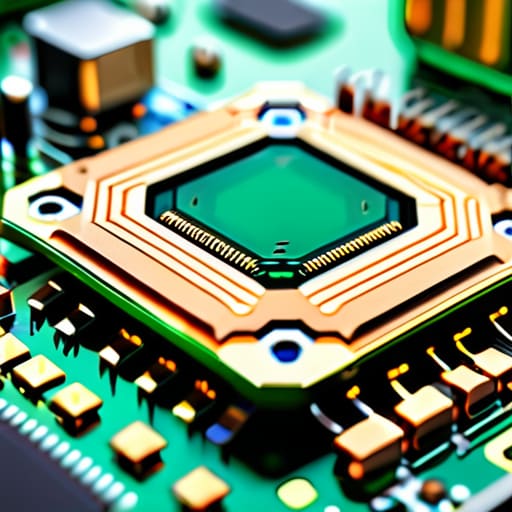
When I opened up my old bedside clock last week, I was looking for the physical gears that drive the hands. With an eSIM, there are no gears to see, but the architecture is just as deliberate. Instead of a removable plastic tray that you have to poke with a paperclip, the eSIM is a tiny, permanent piece of hardware soldered directly onto the phone’s motherboard. It’s a microscopic chip that stays dormant until it receives a digital handshake from a carrier.
The real magic happens in the software layer, where the benefits of digital SIM technology become apparent. Think of it as a programmable switchboard. While a physical SIM is a static key that only opens one door, this chip is reconfigurable. It allows for dual SIM smartphone capabilities, meaning your device can maintain two separate identities—perhaps a work line and a personal one—simultaneously, without needing two physical slots. It’s a silent, internal dance of data packets that happens entirely behind the glass, managing your connections without you ever needing to touch a single piece of plastic.
Decoding the Esim Compatibility List Without the Noise
When I was teaching my students about circuit diagrams, I always told them that a list of components is useless if you don’t know which ones are actually soldered to the board. Checking an eSIM compatibility list is exactly the same. You can’t just look at the shiny marketing on the box; you have to look at the specific hardware revision. Most modern devices are built with the capability, but the software “handshake” required to recognize that digital chip is what truly matters. If the manufacturer hasn’t enabled that specific pathway in the firmware, that expensive piece of glass in your pocket won’t know how to talk to the network.
I’ve spent many afternoons squinting at technical spec sheets, and the noise can be deafening. To cut through it, I ignore the fluff and look for two things: the carrier’s support and the device’s specific model number. It’s a bit like checking if a specific gear will fit into an old clock movement—it doesn’t matter if the gear is beautiful if the teeth don’t align. Understanding these dual SIM smartphone capabilities means verifying that your hardware can juggle both a physical tray and the digital profile simultaneously without a hiccup.
Five ways to handle your invisible hardware
- Don’t assume your phone is ready just because it’s new; I always check the settings menu for “Cellular” or “Mobile Data” first to see if there is even a slot for a digital chip to live in.
- Treat your QR code like a physical key—if you print it out and lose it, you’ve essentially lost the ability to unlock your data plan, so keep a digital backup in a secure spot.
- When you’re switching plans, remember that the eSIM isn’t a physical thing you can pop out and hand to a friend; it’s a set of instructions, so you’ll need to “delete” the old profile before the new one can settle in properly.
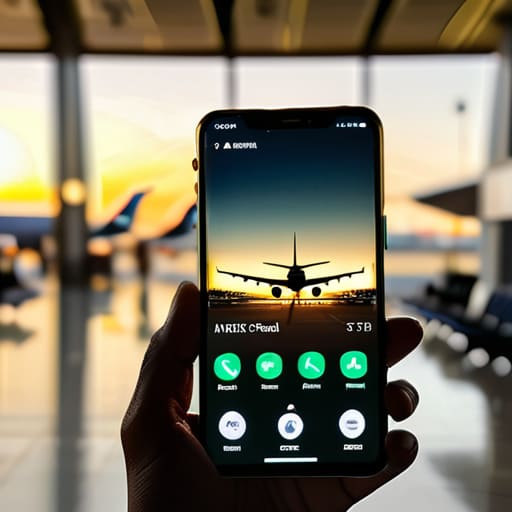
- If you find yourself traveling, don’t wait until you land to download your new profile; I prefer to get the digital handshake finished while I’m still on my home Wi-Fi so the connection is waiting for me when the plane touches down.
- Always keep your phone charged during the activation process; if the power cuts out while the phone is writing those new digital instructions to its internal chip, you might end up with a very expensive paperweight.
The physics of staying connected
An eSIM isn’t a new piece of hardware you need to hold; it is a permanent, tiny piece of silicon soldered directly onto your phone’s logic board, waiting for a digital instruction to tell it which network to trust.
You trade the physical ritual of swapping plastic trays for a digital handshake, meaning your connectivity is no longer tied to a piece of material that can be lost or bent, but to a software profile that lives in the machine’s memory.
Compatibility isn’t just about having the right software; it’s about ensuring your device’s internal architecture was built with that specific, unremovable chip installed and ready to receive data.
The ghost in the machine
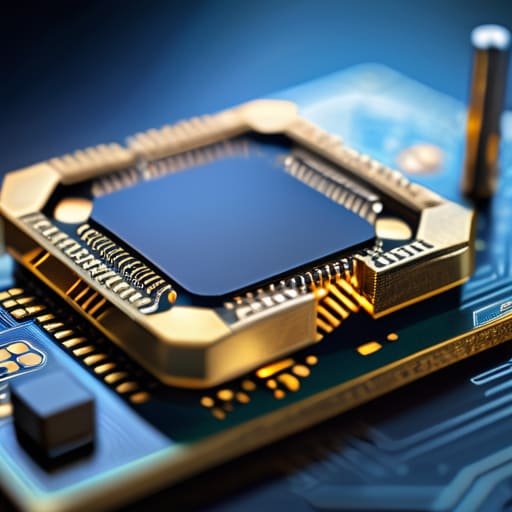
When I look at my workbench, I see gears, springs, and physical contact points that I can touch with my tweezers. An eSIM is different; it is a piece of hardware that has been conceptually uncoupled from the physical ritual of swapping plastic cards. We have moved from the era of mechanical insertion to an era of software-defined connectivity. By understanding that the “chip” is already soldered into your device’s motherboard, waiting for a digital handshake rather than a physical tray, you can see that the complexity hasn’t vanished—it has simply moved into the invisible architecture of code. You no longer need to worry about losing a tiny piece of plastic or bending a metal pin; the connection is now a matter of data, not dexterity.
I spent thirty years teaching students that even the most complex systems follow predictable laws. Technology often feels like magic because we aren’t allowed to see the guts of the machine, but the eSIM is a perfect example of how efficiency hides behind simplicity. As we move toward a world where our connections are entirely seamless and ethereal, I hope we don’t lose our curiosity for how these invisible currents actually flow. Don’t just accept the convenience; take a moment to appreciate the silent, digital precision that allows you to change your entire cellular identity with a single tap. Even if you can’t hold the signal in your hand, knowing it’s there makes the world feel a little more solid.
Frequently Asked Questions
If I switch from a physical SIM to an eSIM, can I still use my old plastic card in a different device?
Once I’ve transferred my service to the eSIM, that little piece of plastic becomes a ghost. It’s effectively “deactivated” at the network level. It’s like taking the gears out of a clock; the physical object remains, but it no longer has the tension required to drive the mechanism. You can certainly pop it into another device, but without an active signal tied to it, it’s just a tiny, useless scrap of plastic.
Does an eSIM actually make my battery last longer, or is that just a marketing myth?
It’s a bit of a half-truth, isn’t it? I opened up my old tablet to see if there was a dedicated power draw for the chip, and the answer is: not really. The eSIM itself is just a tiny, passive piece of silicon. However, because you aren’t constantly waking the device to toggle physical slots or dealing with the mechanical strain of a tray, your habits change. It’s less about the chip and more about the seamlessness.
What happens to my digital profile if I accidentally drop my phone in water or if the hardware fails?
The beauty of the eSIM is that your identity isn’t tied to a physical scrap of plastic. If I drop my phone in the sink and the motherboard fries, my profile doesn’t drown with it. Since the “SIM” is just a set of instructions stored in a secure chip, I simply move those instructions to a new device via my carrier’s portal. The hardware died, but the digital soul remains intact.



