

I spent thirty-four years in a physics classroom watching students stare at circuit diagrams like they were reading ancient hieroglyphs, and frankly, the tech industry hasn’t gotten any clearer. They throw around terms like “cloud architecture” and “non-volatile memory” as if the jargon itself is a substitute for actual understanding. It’s a bit of a scam, really; most people are sold a dream of infinite capacity without ever being told how the electrons are actually being held in place. When people ask me what storage types mean, they’re usually looking for a way to stop feeling like they’re being cheated by marketing brochures that prioritize buzzwords over mechanics.
I don’t care for the polished sales pitches, so I’m going to give you the truth from my workbench. I won’t just list specifications; I’m going to explain these concepts by looking at what happens when you actually pull the casing off. My promise to you is simple: I will strip away the fluff and show you how these components behave when the power is cut and the lights go out. By the time we’re done, you’ll understand the physical reality of your data, not just the digital illusion.
Unmasking the Difference Between Ssd and Hdd
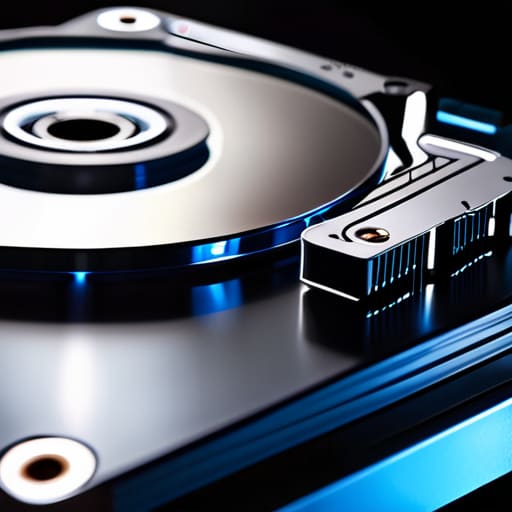
To understand the real difference between SSD and HDD, you have to look at what’s happening inside the casing. When I opened up an old hard drive last week, I found a miniature record player: a spinning magnetic platter and a tiny mechanical arm that physically moves to find your files. It’s a marvel of precision, but it’s governed by physics. If you want to find a photo, that arm has to physically travel to the right spot on the disk. This mechanical dance is why you see those read and write speeds stutter when the drive is busy; the hardware simply cannot move faster than the laws of inertia allow.
An SSD, however, is a completely different beast. I’ve cracked a few of these open, and there are no moving parts to speak of—just rows upon rows of silicon chips. It uses different non-volatile memory types to trap electrons in place, meaning it doesn’t need to “hunt” for data. Instead of waiting for a motor to spin up, the electricity simply flows through the circuits. It’s the difference between waiting for a librarian to walk across a massive hall to find a book versus simply blinking and having the information appear in your hand.
Why Non Volatile Memory Types Never Forget
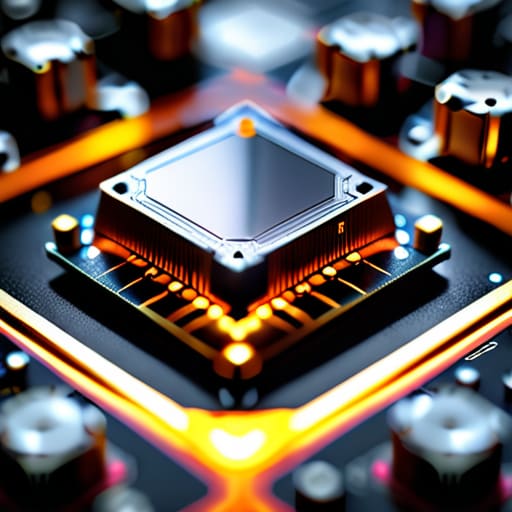
When I opened up an old digital camera last week, I wasn’t looking for the lens; I was looking for the little chip that holds your photos even when the battery is dead. That is the magic of non-volatile memory types. Unlike the RAM in your computer—which acts like a chalkboard that gets wiped clean the moment you turn off the lights—non-volatile memory is more like an ink pen. It uses electrical charges to trap electrons inside microscopic “gates” within a silicon structure. Even when the electricity stops flowing, those electrons stay trapped in their little rooms, holding your data in place through sheer physical stubbornness.
It’s a fascinating bit of physics. Whether it’s the flash memory in your phone or the drive in your laptop, the goal is the same: creating a state that persists without constant power. While we often talk about read and write speeds when comparing devices, the real triumph of these components is their ability to “remember” in the dark. If a device can’t hold onto its state when the power cuts, it isn’t truly storing anything; it’s just temporarily holding it.
My Rules of Thumb for Choosing a Drive
- Don’t let the “GB” numbers fool you into thinking all storage is equal; a high-capacity spinning platter is great for a digital attic, but it’s a terrible place to keep the tools you use every single day.
- Always check the “write endurance” if you’re buying an SSD for heavy work, because unlike a mechanical gear that I can polish and reuse, those tiny electrical cells eventually wear out from being poked too many times.
- If you are storing family photos, treat your drive like a physical photo album—don’t keep the only copy in one single box, or a single mechanical failure or electrical surge will make them vanish forever.
- Match the speed to the task: I wouldn’t use a heavy, slow-moving flywheel to power a delicate wristwatch, and you shouldn’t try to run a modern operating system off an old, clattering hard drive.
- Before you buy, ask yourself what the device does when it’s sitting idle; if it needs to wake up instantly to be useful, you want flash memory, not something that has to physically spin up to speed.
What I’ve Learned Under the Casing
Storage isn’t just a digital concept; it’s a physical distinction between moving parts that spin and electrical charges that sit still.
If a device can’t hold its state without a constant stream of electricity, it isn’t actually “storing” anything—it’s just holding it in its hands.
Choosing between storage types is a trade-off between the mechanical speed of a physical disk and the silent, electron-based dance of a chip.
The View From the Workbench

When I sit at my desk with a screwdriver in hand, the distinctions between these storage methods become much more than just technical specifications on a box. We have seen that the HDD is a mechanical ballet of spinning platters and moving arms, while the SSD is a silent, lightning-fast dance of electrons trapped in silicon gates. One relies on physical momentum to find your files, while the other relies on the sheer speed of state changes. Understanding whether your data is being physically moved or electronically toggled is the difference between knowing how a machine works and simply knowing how to press its buttons. It is about recognizing that storage is never just a “black box”; it is a specific physical process designed to overcome a specific limitation of time or energy.
As you move forward with your own gadgets, I hope you stop seeing them as magic boxes that simply “hold” things. Instead, try to visualize the tiny, frantic movements happening inside the casing. Whether it is a magnetic head sweeping across a disk or a charge settling into a transistor, there is a beautiful, predictable logic to it all. Once you stop fearing the complexity and start visualizing the mechanism, the world becomes much less intimidating. After all, even the most sophisticated supercomputer is just a collection of very small, very clever things doing exactly what they were built to do when we aren’t watching.
Frequently Asked Questions
If I'm upgrading my old laptop, can I just swap the spinning hard drive for an SSD, or do the connections work differently?
It depends on how old your laptop is, but usually, yes. I opened up an old ThinkPad last week to check; the old HDD was a 2.5-inch SATA drive, and the SSD I swapped in used the exact same physical connector. It’s like replacing a heavy, rattling clock pendulum with a silent, magnetic one—the mounting bracket stays the same, but the mechanism is entirely different. Just check if your slot is SATA or M.2 first.
Why does my phone seem to slow down when the storage gets nearly full, even if I'm not saving many new files?
It’s a bit like my workbench when I’m mid-repair. If I pile every loose screw and gear into one corner, I can’t find the space to actually move my hands to work. Your phone is the same. It needs “elbow room”—empty blocks of memory—to shuffle data around and perform its background housekeeping. When it’s stuffed to the brim, the controller spends all its energy just trying to find a place to breathe.
Is there a real physical difference in how long a thumb drive lasts compared to an internal drive, or is it just about the capacity?
It’s a physical reality, not just a numbers game. When I cracked open an old thumb drive, I saw the same NAND flash chips found in an internal SSD, but the “plumbing” is different. Internal drives have sophisticated controllers and extra cells for “wear leveling”—essentially shuffling data around so no single spot burns out. A thumb drive is a stripped-down version; it lacks that management, so it exhausts its physical write cycles much faster.



