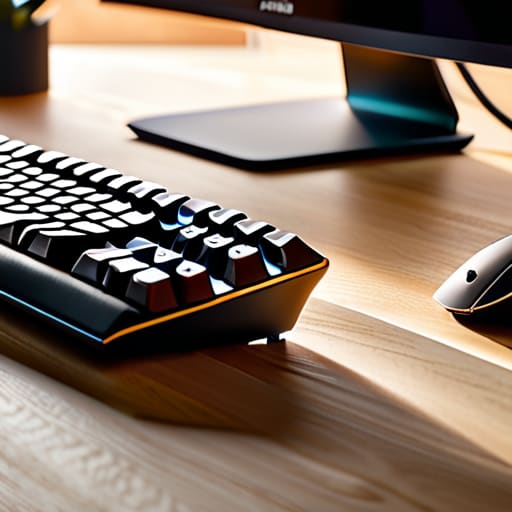

I spent thirty-four years in a classroom watching students struggle with clunky, unresponsive peripherals, but nothing frustrated me quite like the marketing gloss of modern tech. Most people think they need a glowing, RGB-lit mechanical beast with twenty programmable macro keys just to write an email, but that’s nonsense. If you’re looking for advice on how to choose a keyboard and mouse, you’ll find plenty of experts telling you about “latency specs” and “polling rates” that mean nothing if the actual tactile feedback feels like typing on wet sponges. I don’t care how many lights it has; if I can’t feel the spring tension in the switch or the way the sensor tracks across a wooden desk, it’s just expensive plastic.
I’m not here to sell you on a lifestyle or a brand; I’m here to talk about the mechanics. I’ve spent my retirement taking things apart—from delicate pocket watches to these very peripherals—to see what’s actually happening under the casing. My promise to you is simple: I will help you find gear based on how it behaves when you aren’t thinking about it. We are going to look past the flashy advertisements and focus on the physical reality of the hardware.
Mechanical vs Membrane Keyboards the Soul of the Click
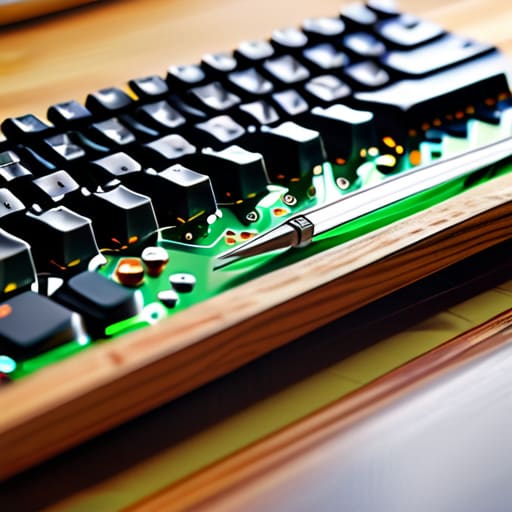
I spent yesterday afternoon with a precision screwdriver and a set of tweezers, dissecting an old office membrane keyboard that had been gathering dust. When you peel back that thin plastic layer, you see the truth: it’s just a rubber dome. When you press a key, you aren’t actually completing a circuit with a solid piece of metal; you are simply squishing a piece of silicone until it makes contact with a circuit board. It’s a soft, mushy affair. It works fine for a quick email, but there is no tactile feedback to tell your brain the command has actually been sent.
In contrast, I opened up a mechanical board last week, and it felt like looking into the guts of a Swiss watch. Instead of a single rubber sheet, each key has its own dedicated physical switch—a tiny spring, a stem, and metal leaves. When you press down, you feel that distinct, sharp snap. This is why people obsess over mechanical vs membrane keyboards; it’s the difference between pushing a finger into a sponge and clicking a well-oiled latch. For anyone looking for the best peripherals for productivity, that physical confirmation matters because it reduces the number of times you double-tap a key out of sheer uncertainty.
Bluetooth vs 24ghz Connectivity Stability in the Void
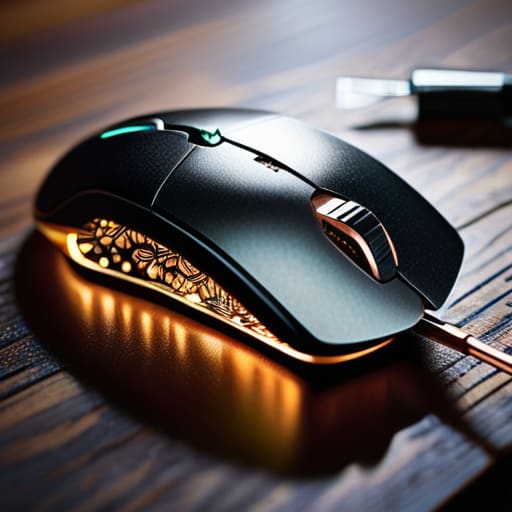
I spent yesterday afternoon with a screwdriver and a pair of tweezers, peering into the guts of my old wireless mouse to see why it had started stuttering during my morning crossword. When you strip away the sleek plastic casing, you aren’t looking at “magic”; you are looking at how a tiny radio chip negotiates space in a crowded room. This is the heart of the bluetooth vs 2.4GHz connectivity debate. Bluetooth is like a polite conversation at a crowded dinner party—it’s efficient and saves battery because it sleeps when it isn’t needed, but it can get interrupted if too many people start talking at once.
If you want something that feels like a direct physical wire, you want that 2.4GHz USB dongle. I’ve taken apart enough receivers to know that the dedicated frequency used by these dongles is much more aggressive; it doesn’t “ask” for permission to speak, it just commands the airwaves. For anyone looking for the best peripherals for productivity, this stability is non-negotiable. If your cursor hitches while you’re trying to click a tiny cell in a spreadsheet, it isn’t a ghost in the machine—it’s just a poorly managed radio signal.
The Anatomy of a Good Grip: What Matters When the Screen Stares Back
- Don’t trust a spec sheet for weight; trust your wrist. I spent an afternoon unscrewing a “gaming” mouse only to realize the internal weights were just cheap metal slugs added to make it feel substantial. A mouse should feel like an extension of your hand, not a heavy stone you’re dragging across a desk. If it feels like a struggle to move after twenty minutes, the center of gravity is wrong.
- Look for the sensor’s “brain,” not just the DPI number. Most people see a high DPI number and think “speed,” but that’s just marketing fluff. I’ve opened up mice where the optical sensor was so poorly placed that even a tiny tremor in your hand sent the cursor flying. You want a sensor that stays calm when you’re trying to be precise, not one that overreacts to every heartbeat.
- Check the keycap material, specifically if it’s PBT or ABS. It sounds pedantic, but it matters. I’ve taken apart plenty of “premium” keyboards only to find cheap ABS plastic that turns into a greasy, shiny mess within months of use. PBT plastic has a texture that holds its grip; it doesn’t turn into a slip-and-slide under your fingertips when you get focused.
- Test the “travel distance” of the keys. It’s the physical space a key travels from its resting state to the point where it actually triggers the mechanism. If the distance is too shallow, you’ll find yourself bottoming out and bruising your finger joints. If it’s too deep, you’ll feel like you’re typing in mud. You need to feel that specific resistance where the contact is made.
- Inspect the cable or the battery housing. If it’s wired, the cable shouldn’t be so stiff that it acts like a spring, constantly pulling your mouse back toward the edge of the desk. If it’s wireless, I want to know where that battery sits. If the weight is all lopsided because of a heavy battery tucked in one corner, your hand will never find a natural rhythm.
The Mechanics of a Good Setup
Don’t buy a keyboard based on a spec sheet; buy it based on the physical resistance of the spring and how that tactile bump feels against your fingertip after four hours of typing.
Forget the marketing jargon about “seamless connection”—if you can’t see the tiny USB dongle or feel the millisecond of lag when you move your mouse, the connection isn’t stable enough for real work.
A tool is only as good as its reliability when you aren’t paying attention; choose hardware with build quality that relies on solid physical switches rather than cheap plastic membranes that lose their spring over time.
The Final Assembly

When I finally set the last screw back into a movement, I don’t just see a finished clock; I see a series of intentional choices. Choosing your peripherals is no different. You aren’t just buying plastic and silicon; you are selecting the specific mechanical resistance of a switch and the invisible stability of a wireless signal. Whether you decide that the tactile feedback of a mechanical board is worth the extra noise, or that the seamless freedom of a 2.4GHz connection is your priority, remember that every component serves a purpose. Don’t let a marketing spec sheet decide for you—make sure the physical reality of the device aligns with how your hands actually move when you’re deep in thought.
At the end of the day, the best tools are the ones that disappear. If you find yourself fighting a stuttering cursor or a mushy key, the technology has failed its primary job of being an extension of your intent. My goal is always to understand the mechanism so thoroughly that the machine becomes invisible. I hope you find a setup that feels less like a collection of gadgets and more like a seamless extension of your own nervous system. Once you find that perfect tension and that reliable connection, you won’t be thinking about the hardware at all—and that is exactly how it should be.
Frequently Asked Questions
If I'm spending eight hours a day typing, will the weight of the mouse actually make my wrist ache by lunchtime?
I spent last Tuesday with a screwdriver and a teardown kit, weighing various optical mice on my kitchen scale. It’s not just the mass; it’s the center of gravity. A heavy mouse forces your forearm to work harder to correct its path, turning a simple glide into a constant tug-of-war. If the weight is poorly distributed, your tendons pay the price by noon. I prefer a lighter shell—less resistance means less strain.
I’ve seen those fancy ergonomic split keyboards, but once I take the casing off, is there actually a mechanical difference in how they handle the signal?
The short answer is no; the signal itself doesn’t care about the shape of the plastic. Once I unscrew the chassis, I see the same microcontrollers and traces you’d find in a standard board. The “magic” is just a longer cable or a wireless bridge between two halves. It’s a physical workaround for your wrists, not a change in physics. The signal travels the same way; it’s just taking a detour through your posture.
How much does the sensor resolution in a mouse actually matter if I'm just moving a cursor and not playing high-speed games?
I opened up my old Logitech last week just to see how the optical sensor was seated. Most people see “DPI” and think more is better, but that’s a physicist’s trap. If you aren’t twitching your wrist at high speeds, a massive resolution is just extra noise. What matters is the sensor’s ability to track a surface smoothly without jitter. High DPI is a vanity metric; consistent tracking is the actual mechanism.



