

I spent my entire career teaching teenagers that you can’t understand a force until you see the vector, yet I see people every day treating wireless earbuds like some kind of magical black box. They stare at glossy marketing brochures, drowning in a sea of “frequency responses” and “driver diameters,” as if those numbers actually tell you how the device will behave when you’re just trying to listen to a podcast while washing the dishes. If you are waiting for a spec sheet to tell you how to choose wireless earbuds, you are being sold a fantasy. Most of those technical promises are just expensive noise designed to hide the fact that the actual engineering is often quite flimsy.
I don’t care much for what a salesman says; I care about what happens when the power is on and the casing is closed. In this guide, I’m going to strip away the marketing fluff and look at the actual mechanics of fit, battery discharge, and connectivity stability. I won’t give you a list of trends to follow, but rather a way to evaluate the physical reality of these gadgets. My promise to you is simple: we are going to find you a pair that actually works when you aren’t looking at it.
Decoding Sound Quality Codecs Aptx and Ldac Unmasked

I spent yesterday afternoon with a set of high-end buds on my workbench, trying to see if the driver housing actually justified the premium price tag. When we talk about sound quality codecs like aptX and LDAC, most people treat them like magic spells, but they are really just different ways of packing a suitcase. Imagine you are trying to fit your entire wardrobe into a tiny carry-on; you can either fold everything neatly to preserve the shape of your clothes, or you can vacuum-seal them into thin, crushed squares.
Standard Bluetooth is like that vacuum seal—it gets the job done, but you lose the texture of the music. LDAC, however, allows for a much larger “suitcase,” sending more data bits per second so the high frequencies don’t sound like they’re being squeezed through a straw. If you are someone who sits still and listens to orchestral movements, these high-bitrate codecs are essential. But if you are looking for the best wireless earbuds for running, you might actually find that a more stable, lower-bitrate connection is better; after all, a tiny hiccup in data transmission is much more annoying when you’re mid-stride than when you’re sitting in a quiet armchair.
The Invisible Tether Bluetooth Connectivity Range and Reliability

When I opened up my old transistor radio as a teenager, I learned that signals are just waves, and waves are fickle things. People often treat Bluetooth like magic, but it’s really just a very polite, very short-range conversation between two tiny antennas. When you’re looking at the bluetooth connectivity range, don’t just trust the marketing fluff that claims “30 feet of freedom.” In reality, that signal is fighting against your own body, your walls, and even the microwave in the kitchen. If you are looking for the best wireless earbuds for running, you need to realize that a thick layer of sweat or even the movement of your head can create tiny interruptions in that invisible stream.
I always tell my students that a connection isn’t truly stable unless it can handle a little chaos. If you find yourself walking into the next room and the music starts to stutter or “clip,” the handshake between your phone and the buds is failing. You aren’t just buying sound; you are buying the stability of a radio link. I prefer a pair that maintains its grip even when I’m moving, because a device that only works when you are sitting perfectly still isn’t a tool—it’s a tether.
Five Things to Check Before You Let Them Into Your Pocket
- Don’t trust the “waterproof” sticker on the box; I want to know the IP rating. If you’re going to be sweating through a jog or caught in a drizzle, you need to know if those seals are actually designed to keep moisture from creeping into the driver housing.
- Check the physical footprint of the charging case. It’s easy to get enamored with the sound in a quiet showroom, but if the case is a bulky brick that makes your trousers sag, it’s not a tool you’ll actually use.
- Look at the driver size, but don’t let it fool you. A large diaphragm can move a lot of air, which sounds impressive, but if the housing isn’t tuned properly, you’ll just get a muddy, bloated bass that drowns out the mid-range frequencies.
- Test the tactile feedback of the controls. I despise those touch-sensitive panels that trigger every time you adjust your glasses. If you can’t feel a distinct click or a clear response, you’ll spend more time fighting the device than listening to your music.
- Evaluate the battery life under actual load, not just “standby.” A pair of buds might claim twenty hours, but if that number drops to four the moment you turn on the noise cancellation, the math simply doesn’t work for a long commute.
What Stays Behind When the Music Stops
Don’t get blinded by the glossy marketing on the box; focus on the battery’s actual chemistry and how it handles a discharge cycle when you’re halfway through a walk.
A good pair of buds isn’t just about the driver size, but how the housing manages to seal the air against your ear canal to keep the physics of the sound wave from leaking out.
Look past the fancy names and check if the companion app actually lets you manipulate the EQ, because if you can’t adjust the signal once it’s inside the casing, you don’t really own the sound.
The Final Assembly
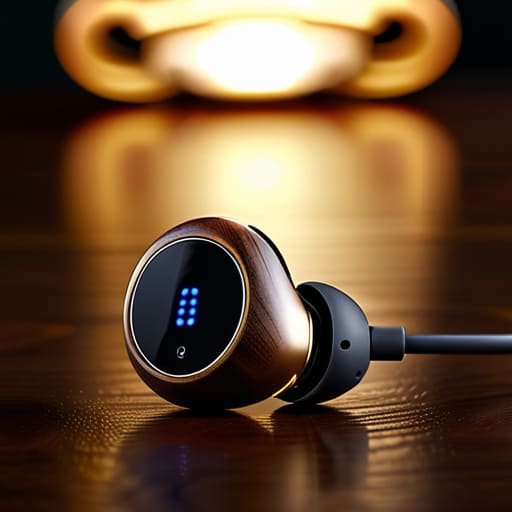
At the end of the day, choosing earbuds isn’t about finding the most expensive piece of silicon; it’s about finding the right mechanical and digital harmony for your specific life. We’ve looked under the hood at how codecs like LDAC carry the data, and how the Bluetooth radio manages to maintain its grip even when you walk into the next room. You have to balance the efficiency of the connection against the actual quality of the sound being delivered. If the codec is high-fidelity but your connection is constantly dropping because the antenna is poorly placed, you aren’t listening to music—you’re just listening to a series of digital hiccups. Don’t get distracted by the marketing gloss; focus on the functional reliability of the components working together.
I often tell my students that physics isn’t something that happens in a textbook; it is the invisible force making the world move. Your earbuds are no different. They are tiny, complex systems of transducers and transmitters working in concert to bridge the gap between a file on a server and the vibration in your inner ear. Once you understand the mechanisms at play, the hype fades away, and you are left with something much better: clarity. Stop looking for the “best” pair on a spec sheet and start looking for the pair that actually works when you are living your life.
Frequently Asked Questions
If I'm mostly using these for walking the dog or doing chores, how much does the battery life actually matter when the charging case is always in my pocket?
It’s a common trap to look at the total hours and think you’re set. When I opened up my old wireless set, I saw the bottleneck isn’t just the capacity; it’s the discharge rate during active use. If you’re moving through the house or walking the dog, you’re relying on the buds themselves, not the case. If the buds die mid-walk, that pocketed case is just a paperweight until you stop to recharge them.
I've heard people talk about "Active Noise Cancelling," but is that just a fancy way of saying it creates more electronic noise in my ears?
It’s actually quite clever, though it does feel like a bit of a magic trick. I opened up an old pair to see the tiny microphones tucked near the drivers. They aren’t adding noise; they’re listening to the world. The chip inside calculates the incoming sound wave and instantly generates an “anti-noise” wave—the exact mathematical opposite. When these two waves meet, they cancel each other out. It’s destructive interference in action.
How do I know if the drivers inside are actually high quality, or if they're just using software to fake a bass boost that'll rattle the casing?
You can’t tell by listening to a marketing demo, but you can tell by looking at the driver’s mass. When I opened up my old Sennheisers, I could see the diaphragm—the actual moving part—was substantial, not a thin piece of plastic. If the bass feels “boomy” or makes the plastic housing vibrate against your ear, they’re just using digital signal processing to trick you. Real quality comes from physical displacement, not a software slider.



