

I spent thirty-four years in a physics classroom watching students stare at a circuit diagram like it was a piece of ancient hieroglyphics, and if there is one thing I’ve learned, it’s that we tend to overcomplicate things just because we can. These tech companies love to sell you on the idea that your house is a broken machine unless you buy their expensive, plastic “brain” to sit on your shelf. They make it sound like you’re building a particle accelerator, but honestly, learning how to connect smart devices without a hub shouldn’t feel like a high-stakes laboratory experiment. Most of the time, you’re just trying to get a lightbulb to acknowledge your existence, and you certainly don’t need a middleman charging you fifty dollars to facilitate that conversation.
I don’t care much for marketing gloss or “ecosystem” jargon; I care about what is actually happening inside the casing. In this guide, I’m going to show you how to bypass the clutter by letting your devices talk directly to your Wi-Fi or through Bluetooth, just like they were meant to. I won’t give you a manual written by a salesperson; instead, I’ll give you the straightforward mechanics of how these connections actually function. My goal is to help you understand the logic behind the setup so that your home stays smart even when you aren’t looking at it.
Relying on Wi Fi Enabled Smart Home Devices
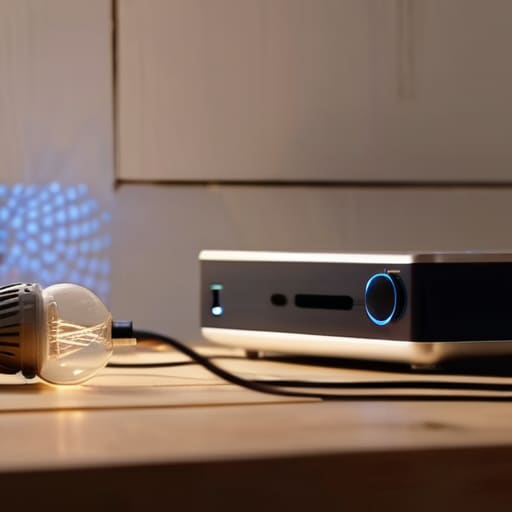
Most of the gadgets sitting on my workbench these days don’t need a middleman; they just need a signal. When I look at Wi-Fi enabled smart home devices, I see them as little radio stations. Instead of sending a command to a central hub, which then tells the lightbulb to turn on, the bulb listens directly to your router. It’s a bit like how I used to teach my students about electromagnetic waves—the energy is already in the air, moving through the walls, waiting for a device with the right “ears” to catch it.
The beauty of this approach is the simplicity of direct device-to-device communication. When you set up a smart plug via your phone, you aren’t building a complex web; you’re just introducing two neighbors. However, I’ve noticed that if you pile too many of these “neighbors” onto a single router, the signal starts to get crowded and sluggish, much like a classroom during a fire drill. It works wonderfully for a few lamps or a single thermostat, but you have to be mindful of how much “noise” you’re adding to your home’s invisible atmosphere.
The Quiet Strength of Bluetooth Smart Device Setup
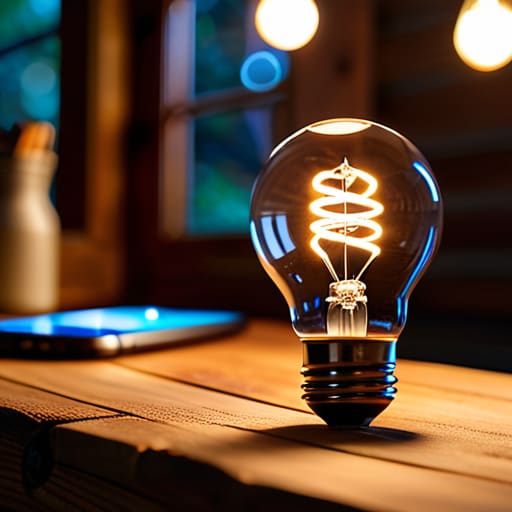
I spent yesterday afternoon hunched over my workbench, trying to figure out why a new smart bulb wouldn’t play nice with my phone. I ended up unscrewing the casing just to see the radio module, and it reminded me of why I’ve always liked Bluetooth. Unlike the Wi-Fi devices we just discussed, which are constantly shouting at your router to stay relevant, Bluetooth is more like a polite, private conversation. When you go through a Bluetooth smart device setup, you aren’t asking the whole house to listen; you are establishing a tiny, localized bridge between your phone and the gadget itself.
This relies on direct device-to-device communication, which is a fancy way of saying they don’t need a middleman to shake hands. When I take apart these smaller sensors, I see how little power they actually draw because they aren’t trying to reach a distant router. They just wait for your signal, perform their task, and go back to sleep. It is a much more contained way of operating, which is exactly how I like my mechanical clocks to run—simple, local, and without unnecessary noise.
The Small Things That Keep the Gears Turning
- Check the “brain” before you buy. I always look at the fine print on the box to see if it mentions “Wi-Fi direct” or “Bluetooth LE”; if it says “Hub Required” in bold, put it back on the shelf, because that device is essentially a car without a steering wheel until you buy the extra part.
- Watch your router’s breathing room. When you skip a hub, every single lightbulb and plug becomes its own little client demanding attention from your router, so if you start adding more than twenty devices, your internet might start gasping for air just like an old bellows.
- Map out your signal paths. Since you don’t have a central hub acting as a middleman to pass messages along, your devices have to shout directly to the router; if there’s a thick brick wall or a heavy metal appliance in the way, that “smart” bulb is going to be very lonely and very disconnected.
- Stick to the same frequency. Most of these direct-connect gadgets run on the 2.4GHz band because it travels through walls better than the faster 5GHz band, so make sure your phone and your new device are both playing on that same frequency during the initial handshake.
- Group them by proximity. Without a hub to organize the chaos, I find it best to keep my direct-connect devices in the same room or zone; it’s much easier to manage a handful of independent workers when they are all standing in the same workshop.
My Three Rules for a Hub-Free Home
Stick to Wi-Fi if you want things to work even when you’re not in the room, but keep an eye on your router’s capacity—it’s the single point of failure that can leave your whole house “thinking” but not doing.
Use Bluetooth for the little things, like a single lamp or a sensor, but don’t expect them to play nice once you’ve walked into the kitchen; they need that close-range handshake to function.
Always check if a device can talk directly to your phone or router before you buy it; if it requires a proprietary “brain” just to turn on a lightbulb, it’s not a tool, it’s a tether.
Putting the Pieces Together
When I look at a smart home, I don’t see a magical web of invisible signals; I see a series of individual decisions. By opting for Wi-Fi enabled devices, you are essentially giving each gadget its own direct line to your router, much like a single lamp plugged into a wall socket. If you prefer a more localized, short-range approach, Bluetooth allows your phone to act as the conductor for a very small, very private orchestra. You don’t need a bulky, central command center sitting on your bookshelf to make these things work. You simply have to ensure that the communication protocols match your specific needs, whether that is the wide reach of your home network or the intimate proximity of a Bluetooth connection.
At the end of the day, technology should serve you, not the other way around. I spent decades teaching students that a complex system is really just a collection of simple parts working in concert, and your smart home is no different. Don’t let the fear of “missing” a hub stop you from experimenting with your own space. Once you strip away the marketing jargon and understand how the signals actually travel through the air, the mystery vanishes. Build your system piece by piece, and remember that the most elegant machines are often the ones that do their job quietly in the background, without needing a middleman to tell them how to behave.
Frequently Asked Questions
If I stop using a central hub, will my smart lights still turn on automatically when I walk into the room?
That depends entirely on where the “brain” lives. When I opened up my old motion sensor last month, I saw the logic was etched right into the circuit. If your lights rely on a hub to process the “if this, then that” command, they’ll go dark without it. But if you’ve picked devices that handle the logic locally—talking directly to your Wi-Fi or using built-in sensors—they’ll keep working perfectly, even if the hub is gathering dust.
Is my Wi-Fi router going to struggle if I add too many individual devices without a hub to manage the traffic?
That’s the million-dollar question, isn’t it? Think of your router like a single teacher trying to manage a classroom. When you use a hub, it’s like having a teaching assistant handling the small groups. Without one, every single smart bulb and plug is shouting for the teacher’s attention at once. If you pile on too many, the “noise” gets heavy, and your connection starts to stutter. Keep an eye on that device count.
Can I still control my devices when I'm away from home if they are only using Bluetooth to talk to my phone?
The short answer is no, not directly. I once opened up a Bluetooth-only smart bulb to see how it “listened,” and it’s quite literal: it’s only looking for that specific radio frequency from your phone. If you aren’t in the room, the signal can’t reach it. To control things from the grocery store, you’d need a bridge to act as a translator, turning your long-distance internet signal into those short-range Bluetooth pulses.


